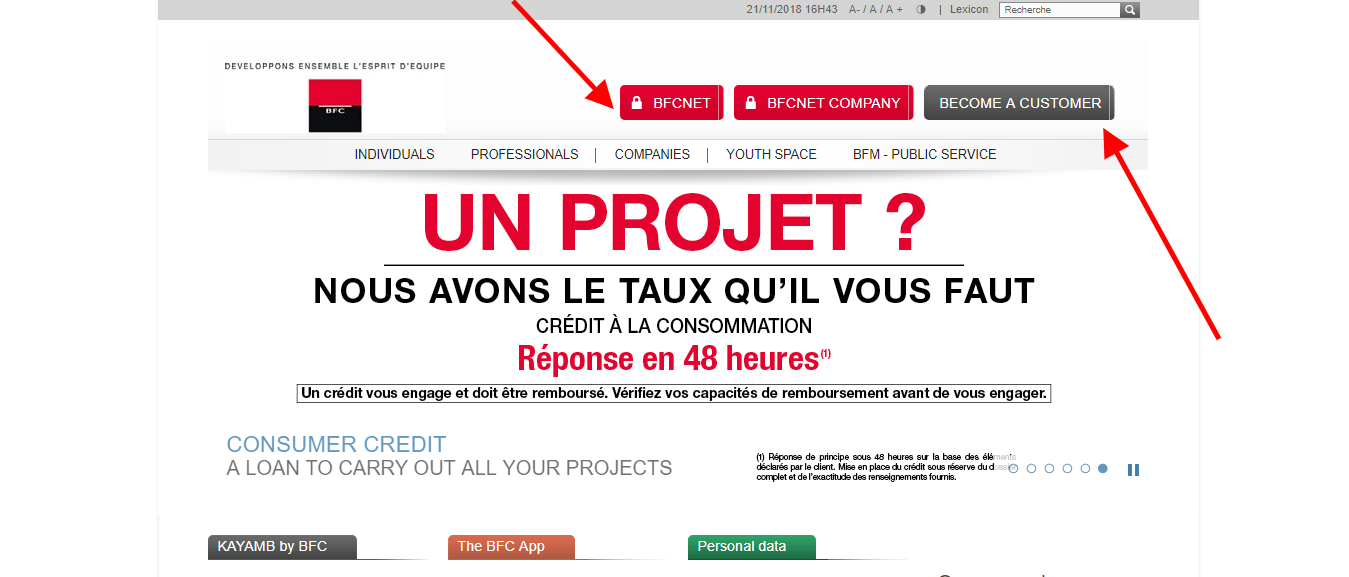
Banque Française Commerciale Océan Indien Log In uses BFC’s current Banque à Distance service. BFC remains an active French bank serving La Réunion, Mayotte, and Paris; the older page title makes Paris sound like the whole institution, but most customer guidance and support are organized around La Réunion and Mayotte.
Choose the access that matches the account contract. BFCNet serves personal everyday banking, BFCNet Pro serves eligible professional accounts, and BFCNet Entreprise is a separate cash-management and electronic-banking service. The BFC mobile app uses Banque à Distance credentials for supported personal and professional access.
How to Log In
For Banque Française Commerciale Océan Indien Log In, open BFC’s current website independently and choose the appropriate Banque à Distance access. Personal BFCNet customers enter their code abonné and code secret. Professional and enterprise users should select the service named in their contract rather than attempting the personal login.
BFCNet and the BFC App
- Open BFC’s current website or the installed BFC app independently.
- Choose the personal Banque à Distance or BFCNet access.
- Enter the code abonné issued for the banking relationship.
- Enter the personal code secret when requested.
- Complete any SMS or strong-authentication check.
- Confirm the account before viewing balances or making a transfer.
- Sign out and protect the device after the session.
BFCNet Pro and BFCNet Entreprise
- Confirm which professional or enterprise service appears in the contract.
- Open the matching BFC access independently.
- Use the subscriber or company identifier assigned to that service.
- Enter only the corresponding personal secret code or credential.
- Complete the required validation for payment or collection instructions.
- Check the company, account, beneficiary, amount, and execution date.
- Retain the confirmation and close the authenticated session.
Choose the Correct BFC Service
BFC’s current digital-banking menu includes BFCNet, BFCNet Pro, and BFCNet Entreprise. BFCNet supports personal account consultation, card and credit information, statements, account details, cheque-book requests, and internal or external transfers. The BFC app provides many everyday features with the same Banque à Distance access codes.
BFCNet Pro is intended for professional account management, while BFCNet Entreprise supports company treasury and electronic exchange workflows. A person authorized on a business account should follow the company’s mandate, service agreement, and user role. Similar names do not make these services interchangeable.
- Use BFCNet for the personal access named in the account agreement.
- Use the BFC app with supported Banque à Distance credentials.
- Use BFCNet Pro for the contracted professional service.
- Use BFCNet Entreprise for the contracted company workflow.
- Do not enter enterprise credentials in the personal login.
- Confirm the territory and account relationship when contacting support.
- Ask the adviser when the correct service is uncertain.
First Connection and Credential Recovery
BFC states that the code abonné is communicated when the first account is opened. On a first connection to the newer Banque à Distance service, choose the forgotten-secret-code or first-connection option after entering the code abonné. The current process sends a provisional code by SMS to the registered security mobile number; that provisional code is valid for five minutes and must be replaced with a personal code secret.
If the code abonné has been lost, contact the commercial team or adviser because the login does not display it. If the registered mobile number is unavailable or outdated, stop the self-service flow and contact BFC. Never create an improvised second profile or ask another person to receive the security code.
- Locate the code abonné supplied for the account.
- Open the current BFC Banque à Distance login independently.
- Enter the code abonné before choosing recovery.
- Choose the first-connection or forgotten-code option.
- Receive the provisional code on the registered security mobile.
- Use it within five minutes and create a new personal secret code.
- Contact BFC if the identifier or registered mobile is unavailable.
Manage Accounts, Documents, and Transfers
After Banque Française Commerciale Océan Indien Log In, BFCNet can show account balances and movements, card and credit outstandings, securities information where applicable, statements, and bank-account details. Customers can also request a cheque book, change the secret code, and create supported one-time or recurring transfers.
BFC states that external transfers initiated from BFCNet or the BFC app require strong authentication with a code received by SMS. Before validation, inspect the beneficiary, IBAN, amount, currency, execution date, and account to be debited. A security code validates an instruction; it does not cancel or block an unexpected transaction.
- Select the intended account before reviewing activity.
- Download statements and account details only to a protected device.
- Verify every beneficiary and IBAN independently.
- Check the amount, currency, and execution date.
- Enter an SMS validation code only for an instruction you initiated.
- Save the confirmation and check transaction status before retrying.
- Contact BFC promptly about an unfamiliar operation.
Understand BFC’s Current Footprint
Banque Française Commerciale Océan Indien is commonly presented as BFC. Its current official information describes 25 branches across La Réunion, Mayotte, and Paris, plus self-service banking and cash-machine access. The bank reports more than 85,000 customers and organizes services for individuals, professionals, and companies.
The old article’s generic references to Paris and historical corporate relationships do not help a customer choose a login. Current account access depends on the BFC service and mandate attached to the actual account. Use the latest agreement, statement, adviser message, or authenticated profile instead of assuming a location determines the login.
- Recognize BFC as the current customer-facing name.
- Treat La Réunion, Mayotte, and Paris as the current branch territories.
- Choose access by account type, not by city name alone.
- Use the service named in the current contract.
- Keep personal and company permissions separate.
- Confirm the registered security mobile is current.
- Use current BFC support when legacy instructions conflict.
Known Issues & Common Problems
The old homepage login boxes are not visible: Use BFC’s current Banque à Distance access and choose the service that matches the account rather than relying on the old page layout.
The code abonné is missing: Contact the BFC adviser or commercial team because the current login directs customers to support for a forgotten subscriber code.
The code secret is forgotten: After entering the code abonné, use the first-connection or forgotten-code option and follow the registered-mobile verification flow.
The provisional SMS code expired: Restart the official recovery flow; BFC states that the provisional code is valid for five minutes.
An external transfer cannot be confirmed: Confirm the registered mobile, beneficiary, amount, and requested strong-authentication step, then contact BFC rather than repeatedly submitting the transfer.
A professional account does not appear: Verify whether the contract uses BFCNet Pro or BFCNet Entreprise and whether the user has the required company authorization.
Banque Française Commerciale Océan Indien Log In problems are easier to resolve after noting the chosen BFC service, account type, territory, device, browser or app version, code-abonné status, exact error, and last successful step. Never send a code secret, full card number, PIN, SMS validation code, or complete account details in ordinary email or chat.
Troubleshooting Tips
- Confirm that the account is held with BFC.
- Choose BFCNet, BFCNet Pro, or BFCNet Entreprise correctly.
- Open the current BFC service independently.
- Check the code abonné before entering the code secret.
- Use the official recovery option instead of repeated guessing.
- Confirm access to the registered security mobile.
- Update the browser or BFC app when the interface fails to load.
- Check beneficiary and transfer details before validation.
- Record the exact message and time of failure.
- Contact BFC when recovery or strong authentication remains blocked.
Tell support whether the problem concerns personal, professional, or enterprise access; first connection; a forgotten subscriber code; secret-code recovery; SMS authentication; statements; transfers; cards; or suspected fraud.
Security Tips
- Open BFC independently instead of following an unexpected message link.
- Check the bank address carefully before entering credentials.
- Never disclose a code secret, card PIN, or SMS security code.
- Do not approve or validate an operation initiated by someone else.
- Remember that a security code validates rather than cancels an operation.
- Reject urgent callers asking for remote access or a card handover.
- Review account and card activity promptly.
- Contact BFC through a verified channel after suspicious contact.
BFC warns that it will not ask by email, SMS, or phone for a card secret, full banking credentials, a 3-D Secure code, or Banque à Distance access codes. Branding and caller ID can be copied, so end suspicious contact and reopen the bank’s service independently.
Contact Customer Service
- BFC customer support from La Réunion: 0262 409 900.
- BFC customer support from Mayotte: 0269 609 900.
- Published support hours: Monday to Friday, 7:30 a.m. to 6:00 p.m., and Saturday, 8:00 a.m. to 12:15 p.m., La Réunion time.
- Visa card loss or theft from France: 09 69 397 974.
- Visa card loss or theft from outside France: +33 9 69 397 974.
Have the relevant BFC service, account type, territory, subscriber-code status, registered-mobile status, device, exact error, and approximate time available. Use the number on the current card or authenticated bank material when it differs for a specific product.
Related Login Guides
Frequently Asked Questions
Where is Banque Française Commerciale Océan Indien Log In?
Use BFC’s current Banque à Distance access and select BFCNet, BFCNet Pro, or BFCNet Entreprise according to the account contract.
What credentials does personal BFCNet use?
The current service requests the BFC code abonné followed by the personal code secret.
How does the first BFC connection work?
Enter the code abonné, choose the first-connection or forgotten-code option, receive a provisional SMS code, and create a personal secret code.
How long is the provisional BFC code valid?
BFC’s current login guidance states that the provisional code sent by SMS is valid for five minutes.
What if I forgot the code abonné?
Contact the BFC commercial team or adviser because the current service routes forgotten subscriber-code cases to support.
Does the BFC app use separate credentials?
BFC says the app uses the customer’s Banque à Distance code abonné and code secret for supported access.
Why does a transfer require an SMS code?
BFC applies strong authentication to external transfers initiated through BFCNet or the BFC app.
Is BFCNet Entreprise the personal login?
No. It is a distinct company electronic-banking service; personal customers should use the access named in their own agreement.
Where does BFC operate?
BFC currently describes branches and services across La Réunion, Mayotte, and Paris.
What should I do after a suspicious BFC message or call?
Do not disclose or validate anything; end the contact and reach BFC independently through a verified support channel.
Summary
Banque Française Commerciale Océan Indien Log In uses BFC’s current Banque à Distance services. Choose BFCNet, the BFC app, BFCNet Pro, or BFCNet Entreprise according to the account agreement; use the assigned code abonné and secret code; complete only authentication you initiated; verify every transfer; and contact BFC promptly when recovery, account access, or security remains unresolved.
Independent guide: This is an independent informational guide. It does not provide a login form, does not provide direct login links, does not request passwords or credentials, and does not collect banking data. Use the bank’s official website, app, phone, or support channels directly for account access.
Last Updated on July 28, 2026
URL: https://log-in.me/banquefrancaisecommercialeoceanindien-paris-france/