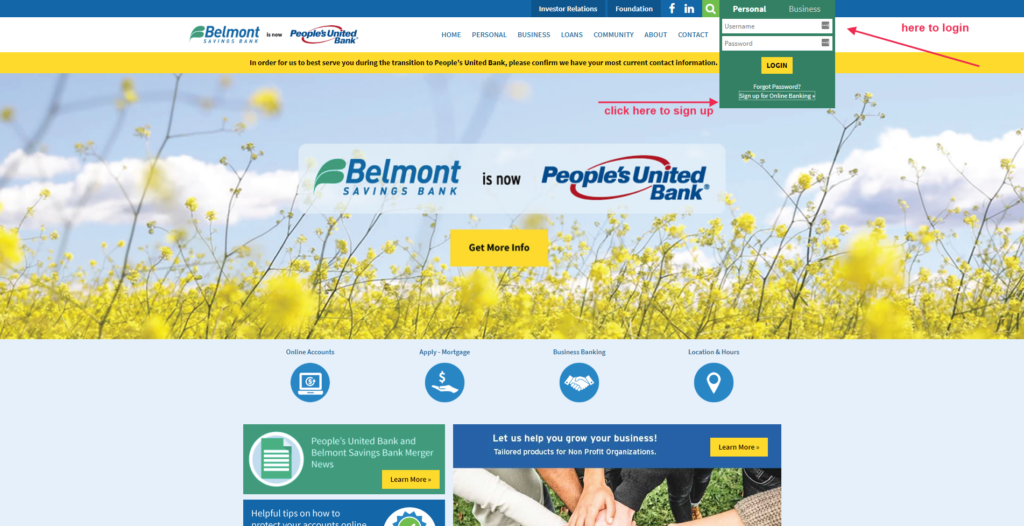
Belmont Savings Bank Log In has moved to M&T Bank. Belmont Savings merged into People’s United Bank in 2019, and M&T completed its acquisition of People’s United in 2022. Former Belmont customers now use M&T Online Banking or the M&T Mobile Banking app.
Do not enter credentials on an old Belmont or People’s United page. Open M&T’s current service yourself, use the M&T User ID and password connected to the converted account, and verify that every expected account appears.
How to Log In
M&T requires Online Banking enrollment before the mobile app can be used. Existing converted customers should recover the M&T profile rather than opening another enrollment simply because an old Belmont credential fails.
M&T online banking
- Type M&T Bank into your browser and open its official website.
- Choose Log In and the personal Online Banking route.
- Enter the M&T User ID and password connected to the converted account.
- Complete a one-time passcode only when M&T requests it for a login you started.
- Review the expected accounts and recent activity, then log out.
M&T Mobile Banking
- Confirm that the account is already enrolled in M&T Online Banking.
- Install or open the official M&T Bank mobile app.
- Enter the same M&T User ID and password.
- Set up facial or fingerprint access only after a successful password login on a trusted device.
- Review balances, deposits, payments, transfers, and cards, then close the session.
What Happened to Belmont Savings?
Regulatory records show Belmont Savings Bank merged into People’s United Bank on April 1, 2019. M&T announced completion of its People’s United acquisition on April 2, 2022 and said the systems would later convert to M&T.
Belmont Savings therefore no longer has a separate customer portal. The current destination for a former Belmont personal-banking relationship is M&T Bank, unless a current statement identifies a different product servicer.
Recover the Converted Account
M&T provides separate help for a forgotten User ID and password. For a User ID reminder, enter the primary email address or mobile number on the Online Banking profile. For a password reset, enter the User ID and verify identity using the requested account and security information.
M&T says password resets can use a debit or ATM card and PIN, a credit card and 3-digit security code, security questions, a mortgage account, or another available verification method. Enter those details only in the official reset flow that you opened yourself.
- Use Get Help with Your User ID for a reminder by email or text.
- Use Reset Your Password for the existing profile.
- Verify identity with one of the methods offered by M&T.
- Confirm that the registered email and mobile number are current.
- Call Online Customer Service when the converted account cannot be recovered.
Known Issues & Common Problems
Old Belmont bookmark: Belmont Savings no longer provides the account portal. Start from M&T’s current Online Banking page.
User ID forgotten: Use Get Help with Your User ID and the primary email or mobile number on the M&T profile.
Mobile app locked: M&T says to reset the password through its reset service, then sign in with the updated credentials.
Account missing after conversion: Contact M&T before creating another enrollment or repeating a payment, transfer, or account link.
A converted account can have a valid M&T login while a card, loan, payee, transfer, or alert needs separate attention. Record the exact error, time, device, product, and last successful step. Check transaction status before submitting anything again.
Troubleshooting Tips
- Start from M&T’s current official Online Banking page.
- Use the M&T User ID and password, not an old Belmont or People’s United login page.
- Use the official User ID reminder or password-reset flow once.
- Confirm that the registered email and mobile number can receive an OTP.
- Try one private browser window or the current M&T mobile app.
- Record the exact error and missing converted item before calling support.
Change one thing at a time. M&T automatically ends inactive sessions, so confirm the status of an unfinished transfer or payment before trying again. Recover the existing profile rather than creating a duplicate enrollment.
Security Tips
- Open M&T yourself instead of following a login link in an unexpected message.
- Never share a User ID, password, OTP, Social Security number, PIN, or card security code.
- Complete periodic OTP verification only for a login that you started.
- Use biometric login only after setting it up inside the official app on a trusted device.
- Keep email and mobile details current and monitor account alerts.
- Report a permanently lost card or suspected fraud instead of relying only on a temporary lock.
M&T says Online and Mobile Banking use multiple layers of protection, including periodic one-time passcodes, 256-bit encryption, and automatic logout from inactive sessions. Those controls do not make it safe to disclose a code to a caller.
Contact Customer Service
- M&T Online and Mobile Banking support: 800-790-9130.
- M&T general personal-banking service: 800-724-2440.
- Lost or stolen debit or credit card: 800-724-1552, available 24 hours a day, 7 days a week.
- Phishing reports: use M&T’s published phishing-report channel without including passwords or one-time codes.
Tell M&T that the relationship originated with Belmont Savings and People’s United, then give the exact error, product, time, and last successful step. Ask for a case reference if the issue remains open. Never send a password, OTP, Social Security number, PIN, or full card number in ordinary email or chat.
Frequently Asked Questions
Where is Belmont Savings Bank Log In now?
Former Belmont Savings customers now use M&T Online Banking or the M&T Mobile Banking app.
What happened to Belmont Savings Bank?
Belmont merged into People’s United in 2019, and M&T completed its acquisition of People’s United in 2022.
Can I use an old Belmont login page?
No. Open M&T’s current official service and use the M&T profile tied to the converted account.
How do I recover my M&T User ID?
Choose Get Help with Your User ID and enter the primary email address or mobile number on the profile.
How do I reset the M&T password?
Enter the User ID in M&T’s official reset flow and complete one of the identity-verification methods offered.
Do I need Online Banking for the M&T app?
Yes. M&T says the account must first be enrolled in Online Banking before the mobile app can be used.
What is M&T online-banking support?
Call 800-790-9130 for Online and Mobile Banking access help.
Who handles a lost M&T card?
Call 800-724-1552 or report the card inside authenticated M&T banking. The phone line is available 24 hours a day.
Summary
For Belmont Savings Bank Log In, use M&T Online Banking or the M&T Mobile Banking app. Belmont merged into People’s United in 2019, and People’s United joined M&T in 2022. Recover the existing M&T User ID or password safely, confirm converted accounts before repeating a transaction, and call 800-790-9130 for access help.
Independent guide: This is an independent informational guide. It does not provide a login form, does not provide direct login links, does not request passwords or credentials, and does not collect banking data. Use the bank’s official website, app, phone, or support channels directly for account access.
Last Updated on July 13, 2026
URL: https://log-in.me/belmontsavingsbank-belmont-unitedstates/