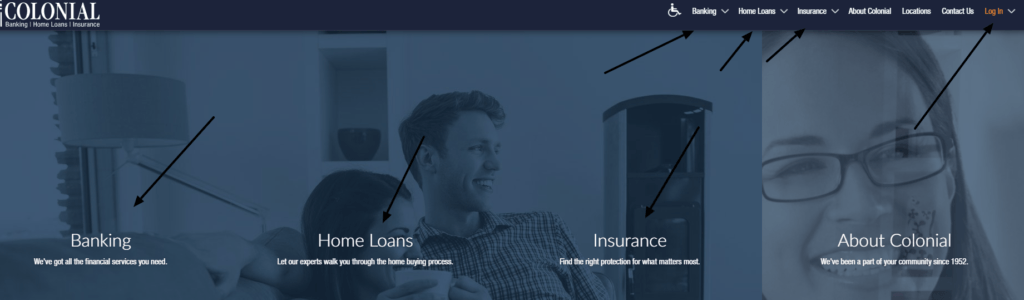
Colonial Bank Log In on this page refers to Colonial Savings, F.A. in Texas and its Colonial Online service. The current GoColonial website separates banking access from mortgage servicing and other account routes, so identify the product before entering a User ID or password.
Colonial Online provides 24-hour access to deposit accounts, history, check images, transfers, installment-loan payments, alerts, statements, bill pay, check orders, and secure messages. The Colonial Mobile Banking app requires prior enrollment in Colonial Online.
How to Log In
For Colonial Bank Log In, start from the current gocolonial.com website and choose Logins, then Online Banking for checking, savings, and related banking accounts. Do not use a mortgage-servicing credential in Colonial Online or assume a transferred mortgage remains at Colonial.
Colonial Online on the web
- Type GoColonial into your browser and open the current gocolonial.com website yourself.
- Choose Logins and then Online Banking for checking, savings, and investment account access.
- Confirm the page belongs to Colonial Savings and shows the expected User ID and password controls.
- Enter the Colonial Online User ID and current password.
- Complete any identity or multi-factor check requested for the session.
- Review balances, recent activity, pending items, and alerts before making a transfer or bill payment.
- Log out when finished and close the browser on a shared device.
Colonial Mobile Banking app
- Enroll in Colonial Online before trying to use the mobile app.
- Use the bank’s Online and Mobile Banking page to reach the current app-store listing.
- Confirm the Colonial Mobile Banking name and publisher before installation or update.
- Open the app and enter the enrolled Colonial Online credential.
- Complete the device or multi-factor verification requested by the bank.
- Enable biometric access only on a personal device protected with a screen lock.
- Check balances and activity before using transfers, bill pay, alerts, or mobile deposit.
Enroll in Colonial Online
Colonial Savings personal account customers can enroll online after accepting the Online Banking Agreement. The current agreement says online registration asks for the Social Security number, email address, and additional personal information to confirm identity, then prompts the customer to choose a User ID and password.
Customers who do not want to finish enrollment online can use an Enrollment by Mail form online or at a branch. Colonial then mails a User ID and temporary password, and the temporary password must be changed. Enter sensitive enrollment details only through the official Colonial route.
- Open Colonial Online from the current GoColonial website.
- Read and accept the current Online Banking Agreement.
- Provide the requested identity and contact information in the secure enrollment flow.
- Create a unique User ID and strong password.
- Choose enrollment by mail or branch when online identity verification cannot be completed.
- Change any mailed temporary password during the first successful login.
- Confirm the expected accounts appear under the new User ID.
Recover or Reactivate Access
Colonial’s privacy notice says password recovery can use the email address or phone number held by the bank to verify identity. A telephone password reset is temporary and requires a new password at the next login. Do not share a reset code or temporary password with a caller.
The Online Banking Agreement says access can be deactivated after one year without use, or when a newly issued User ID and password are not used within 90 days. That is a re-enrollment issue, not a reason to keep guessing a password. Colonial also requires password changes every 180 days under the current agreement.
- Use the official forgot-password or help control for an ordinary password problem.
- Keep the email address and phone number registered with Colonial available.
- Treat a telephone reset password as temporary and change it at first login.
- Re-enroll when Colonial confirms that long-unused access was deactivated.
- Record whether the message says invalid, expired, deactivated, or locked.
- Call 817-390-2000 when self-service cannot verify the profile.
- Review activity and alerts after access is restored.
Banking and Mortgage Access Are Different
Colonial Savings offers both banking and mortgage services. Colonial Online is for banking accounts and supported installment-loan payments. A mortgage account can use a separate servicing route, and a transferred mortgage must be registered with the new servicer named in the welcome letter.
When a servicing transfer occurs, Colonial says the customer receives a goodbye letter and the new servicer sends a welcome letter with payment instructions and online access details. Do not keep paying through an old route after the transfer date, and do not guess the new servicer from an unsolicited message.
- Checking, savings, and banking products: use Colonial Online.
- Current Colonial-serviced mortgage: use the mortgage route assigned to the loan.
- Transferred mortgage: use the new servicer and access details in verified notices.
- Update third-party bill pay with the new servicer after a transfer.
- During the first 60 days, ask how a mistaken payment will be forwarded.
- Call a verified Colonial number when a servicing notice is unclear.
Transfers, Bill Pay, Alerts, and Mobile Deposit
Colonial Online supports immediate one-time or recurring transfers between eligible Colonial accounts, including installment-loan payments. It also provides unlimited bill pay, statements, secure messages, alerts, check orders, and downloadable history. Transfers depend on available funds and the account terms.
The current agreement says banking-day internal transfers can be made until 8:00 p.m. Central time. Before confirming any instruction, check the source, destination, amount, date, and available balance. Save the confirmation and verify the account history before repeating a payment that appears delayed.
- Confirm the source and destination accounts before a transfer.
- Check the available balance and any scheduled or pending items.
- Review the biller, amount, delivery date, and recurring-payment setting.
- Save the confirmation or transaction reference.
- Use alerts for balances and account activity.
- Follow the live endorsement and image instructions for mobile check deposit.
- Call Colonial for an unknown, duplicated, or missing transaction.
Known Issues & Common Problems
Wrong product login: Use Colonial Online for banking and the assigned servicing route for a mortgage.
Forgotten or expired password: Use official recovery and change a temporary or expired password after identity verification.
Access was deactivated: Long-unused access or unused new credentials can require re-enrollment under Colonial’s agreement.
Mobile app will not activate: Confirm Colonial Online enrollment first, then verify the app and registered phone or email.
Account is missing: Check whether it is hidden, separately serviced, transferred, or not linked to the working User ID.
Payment status is unclear: Review history and the confirmation before repeating a transfer, bill payment, or loan payment.
Colonial Bank Log In problems become easier to solve after separating banking from mortgage servicing, then identifying the User ID, password state, enrollment status, registered contact details, product linking, and payment status.
Troubleshooting Tips
- Start from the current gocolonial.com website.
- Choose the banking or mortgage route for the actual product.
- Confirm Colonial Online enrollment before using the mobile app.
- Check the User ID, Caps Lock, keyboard layout, and password autofill once.
- Use password recovery instead of repeated guesses.
- Change an expired or temporary password when prompted.
- Ask whether inactive access requires re-enrollment.
- Verify the current mortgage servicer from formal transfer notices.
- Record the error, time, device, route, and last successful screen.
- Call 817-390-2000 when the correct official route still fails.
A wrong route is a product issue. A rejected password is an access issue. A deactivated User ID is an enrollment issue. A missing account is a linking or servicing issue.
Security Tips
- Type gocolonial.com yourself rather than opening an unexpected login link.
- Confirm Colonial Savings and the secure connection before entering information.
- Never share a User ID, password, temporary password, card PIN, or verification code.
- Use a unique password and enable the available authentication tools.
- Do not send money by gift card, Cash App, Venmo, or PayPal to someone claiming to be Colonial.
- Verify a caller through the official website, statement, or number on the card.
- Enable fraud and activity alerts and review statements regularly.
- Call Colonial immediately for suspicious access or transactions.
Colonial warns that scams can imitate a bank or mortgage servicer and create urgency. End the interaction, find the bank’s published number independently, and verify the request before acting.
Contact Customer Service
- Online and mobile banking support: 817-390-2000.
- Banking Division and account-information updates: 817-877-9554.
- Secure banking message: use the secure message function after signing in to Colonial Online.
- Fraud or suspicious activity: call a published Colonial number immediately and use the contact route on gocolonial.com.
- Banking Division mailing address: 2626A West Freeway, Fort Worth, Texas 76102.
- Transferred mortgage: use the verified welcome letter for the new servicer’s current contact and payment details.
Tell support whether the issue affects Colonial Online web, the mobile app, a deposit account, installment loan, or mortgage servicing. Never provide a password, PIN, or verification code to an agent.
Frequently Asked Questions
Where is Colonial Bank Log In?
Start at gocolonial.com, choose Logins, and use Online Banking for Colonial Savings checking, savings, and related banking accounts.
What is Colonial Online?
It is Colonial Savings’ web-banking service for balances, history, transfers, statements, bill pay, alerts, checks, and secure messages.
How do I enroll in Colonial Online?
Accept the official agreement, complete identity verification, and create a User ID and password, or choose enrollment by mail or branch.
Does the mobile app require enrollment?
Yes. Colonial says customers must be enrolled in Colonial Online before using the Colonial Mobile Banking app.
Why was access deactivated?
The agreement says a year without use or failure to use newly issued credentials within 90 days can require re-enrollment.
When does the password expire?
Colonial’s current agreement says passwords expire every 180 days and must then be changed.
Where do I log in after a mortgage transfer?
Use the new servicer and online-access instructions in the verified welcome letter, not the old Colonial route.
What is Colonial Online support?
Call 817-390-2000 for help with Colonial online and mobile banking access.
Summary
Colonial Bank Log In for this guide means Colonial Savings and Colonial Online. Choose the correct banking or mortgage route, enroll before using the mobile app, recover inactive or expired access safely, verify transferred-loan instructions, and call 817-390-2000 when online banking remains unavailable.
Independent guide: This is an independent informational guide. It does not provide a login form, does not provide direct login links, does not request passwords or credentials, and does not collect banking data. Use the bank’s official website, app, phone, or support channels directly for account access.
Last Updated on July 13, 2026
URL: https://log-in.me/colonialbank/