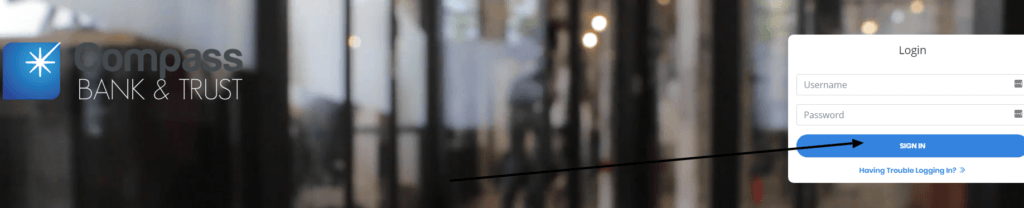
Compass Bank Log In is available through the Login control on Compass Bank & Trust Corporation’s current website. The institution covered here is the offshore bank registered in Roseau, Commonwealth of Dominica, not the former U.S. Compass Bank brand. The Dominica Financial Services Unit lists Compass Bank and Trust Corporation as an Offshore Bank and identifies compass-bank.com as its website.
The current CompassNet sign-in screen asks for a user name and password and provides a Forgot your password control. Start from the bank’s main website, confirm the Dominica address and bank name, and then use its Login control. This avoids look-alike Compass names and old search results that point to unrelated banks.
How to Log In
For Compass Bank Log In, type compass-bank.com yourself and use the Login control displayed by Compass Bank & Trust Corporation. The bank routes customers to its separate CompassNet service. Confirm the bank identity and secure connection before entering a user name or password.
CompassNet on the web
- Type compass-bank.com into the browser instead of following an unexpected message link.
- Confirm Compass Bank & Trust Corporation and the Roseau, Dominica address.
- Choose Login on the bank’s main website.
- Check that the sign-in page presents the expected User name and Password fields.
- Enter the credentials issued for the CompassNet profile.
- Select Login once and wait for the authenticated account view.
- Review account names and recent activity before starting a transaction.
- Sign out and close the session when finished.
Password recovery and assisted access
- Open CompassNet from the bank’s main website.
- Use Forgot your password when the password is no longer accepted.
- Complete only the identity checks shown in the official recovery flow.
- Do not keep guessing credentials or reuse a password from another service.
- Contact the bank through its published contact page when recovery cannot be completed.
- Describe the error and the last successful step without sending a password.
- Review recent activity immediately after access is restored.
Confirm the Correct Compass Bank
Several financial institutions have used Compass in their names. This guide concerns Compass Bank and Trust Corporation in the Commonwealth of Dominica. The official Dominica Financial Services Unit search currently returns that exact entity, classifies it as an Offshore Bank, gives the address 1st floor, 4 Castle Street, Roseau, and points to compass-bank.com.
The bank’s own contact page gives the same Castle Street address and publishes [email protected]. Match those details before beginning Compass Bank Log In or sending application documents. A BBVA, PNC, U.S. Compass, Massachusetts CompassBank, or another similarly named result is a different institution.
- Legal name: Compass Bank and Trust Corporation.
- Regulatory category: Offshore Bank in the Dominica FSU register.
- Address: 1st floor, 4 Castle Street, Roseau, Commonwealth of Dominica.
- Official website listed by the regulator: compass-bank.com.
- Published contact email: [email protected].
- Online account service name shown on product pages: CompassNet.
First-Time Access and Account Setup
Compass Bank’s website separates account opening from existing-customer login. The Open an Account page provides different corporate and individual application routes and downloadable tax forms. Those application controls are not the CompassNet sign-in screen.
An approved customer should use only the user name and access instructions issued for the account. If no CompassNet credentials were supplied, contact the bank and ask how online access is activated for that account type. Do not create credentials on an unrelated site merely because it uses the Compass name.
- Choose the corporate or individual application route that matches the applicant.
- Verify every application request with the bank before sending identity documents.
- Keep account-opening records separate from day-to-day login credentials.
- Wait for confirmed activation instructions before attempting CompassNet access.
- Use the exact user name assigned to the authorized account user.
- Ask the bank to confirm which accounts and permissions should appear after sign-in.
- Never email a password or enter one into an account-opening form.
Accounts and Services Visible in CompassNet
The bank describes personal, business, corporate and institutional banking. Its personal savings, current, certificate-of-deposit and money-market pages state that online banking access is provided through CompassNet. The exact accounts, transaction controls and permissions visible after login depend on the customer’s agreements and user role.
After Compass Bank Log In, compare the displayed legal account names, currencies and balances with the bank’s records before acting. A missing account may be a permission or activation issue rather than a password problem. An unexpected account or transaction should be reported immediately through a verified contact channel.
- Confirm that the expected personal or business profile opened.
- Check account names, currencies and available balances.
- Review recent activity before submitting a new instruction.
- Verify beneficiary details independently before a transfer.
- Save the reference for every accepted instruction.
- Do not repeat a transfer solely because a screen refreshed slowly.
- Ask the bank to review missing products or permissions.
Transfers, Documents, and Session Records
International and offshore banking instructions deserve a deliberate verification step. Confirm the currency, beneficiary name, account identifier, receiving bank, fees and value date before submission. Use a separately verified contact when a beneficiary or payment instruction changes unexpectedly.
Keep confirmation references, statements and approved documents in a secure record. If a transaction appears pending, duplicated, rejected or altered, stop and ask the bank to investigate it. Do not send a second instruction until the status of the first one is clear.
- Match the beneficiary name and account identifier before approval.
- Confirm the payment currency and amount.
- Review intermediary and receiving-bank details.
- Verify changed instructions outside the email thread that announced them.
- Record the submission time and confirmation reference.
- Retain only necessary documents in a secured location.
- Report an unknown or altered transaction promptly.
Known Issues & Common Problems
Wrong Compass institution: Return to the Dominica FSU listing and match the legal name, Roseau address and compass-bank.com website.
Password is rejected: Use the CompassNet Forgot your password control once instead of repeated guesses.
User name is not recognized: Check the issued user name and contact the bank when the profile may not be activated.
Expected account is missing: Ask the bank to check product activation and user permissions after confirming the correct profile.
Transaction status is unclear: Keep the reference and confirm status before sending a replacement instruction.
Unexpected document request: Verify the request through the bank’s independently published contact details before sending sensitive records.
Compass Bank Log In problems are easier to resolve after separating institution identity, credential recovery, profile activation, account permissions and transaction status. Record the exact message, time and last successful screen without exposing credentials.
Troubleshooting Tips
- Start from compass-bank.com and use its Login control.
- Match Compass Bank and Trust Corporation in Roseau, Dominica.
- Check the secure connection and the expected CompassNet sign-in fields.
- Re-enter the user name carefully and inspect Caps Lock and keyboard layout.
- Use Forgot your password rather than repeated password guesses.
- Disable stale password autofill for this attempt.
- Try a current browser on a trusted device and network.
- Record the exact error and whether it occurred before or after submission.
- Contact the bank when the user profile, account permissions or transaction status is unclear.
- Review recent activity after access returns.
A wrong institution is an identity problem. A rejected credential is an access problem. A missing account is usually an activation or permission problem. A pending transfer is a transaction-status problem. Tell support which layer failed.
Security Tips
- Type compass-bank.com yourself instead of trusting an unexpected login link.
- Confirm the bank’s legal name and Dominica address before entering credentials.
- Never share a user name, password, recovery response or session code.
- Do not save banking passwords in a shared browser.
- Use a unique password and keep the device and browser current.
- Avoid account access over public or untrusted Wi-Fi.
- Verify changed payment instructions through an independent channel.
- Review account activity and report unknown transactions immediately.
The CompassNet screen itself recommends not saving passwords in the browser. Treat urgency, changed bank details, remote-access requests and requests to disclose credentials as warning signs.
Contact Customer Service
- Institution: Compass Bank and Trust Corporation.
- Address: 1st floor, 4 Castle Street, Roseau, Commonwealth of Dominica.
- Email: [email protected].
- Online contact: use the Contact page reached from the bank’s main website.
- Password recovery: use Forgot your password on CompassNet.
- Regulatory identity check: search the Dominica Financial Services Unit registered-entities service.
- Dominica FSU telephone: (767) 266-3514.
- Dominica FSU fax: (767) 448-0054.
Tell support whether the issue affects the user name, password recovery, account activation, product permissions, a document request or a transaction. Never place a password or full banking credential in an email or public contact form.
Frequently Asked Questions
Where is Compass Bank Log In?
Start at compass-bank.com and choose Login to reach the bank’s CompassNet sign-in service.
Which Compass Bank does this guide cover?
It covers Compass Bank and Trust Corporation at 1st floor, 4 Castle Street, Roseau, Commonwealth of Dominica.
Is Compass Bank listed by the Dominica regulator?
Yes. The Dominica Financial Services Unit registered-entities search lists it as an Offshore Bank and points to compass-bank.com.
What does CompassNet ask for?
The current sign-in screen presents User name and Password fields and a Login button.
How do I recover a CompassNet password?
Open the service from the bank’s website and use the Forgot your password control.
Does account opening use the login screen?
No. The bank separates corporate and individual account applications from existing-customer CompassNet access.
Why is an account missing after login?
The profile may need activation or permission changes; ask the bank to verify the authorized user’s products.
How do I contact Compass Bank and Trust Corporation?
Use the Contact page on compass-bank.com or the published email [email protected] without sending a password.
Summary
Compass Bank Log In is reached through Compass Bank and Trust Corporation’s current Dominica website and its CompassNet service. Confirm the regulator-listed identity, use the issued user name and password, recover access through the official control, verify every transaction, and contact the bank when activation or permissions remain unclear.
Independent guide: This is an independent informational guide. It does not provide a login form, does not provide direct login links, does not request passwords or credentials, and does not collect banking data. Use the bank’s official website, app, phone, or support channels directly for account access.
Last Updated on July 13, 2026
URL: https://log-in.me/compassbank/