C&N Visa Credit Card ❤️ Log In

C&N Visa Credit Card Log In uses Citizens & Northern Bank’s dedicated credit-card account service for the Visa Lifetime, Visa Lifetime Rewards, and eligible business card accounts. C&N is the creditor and issuer under a Visa license; the card service is separate from C&N Online Banking for checking, savings, and loan accounts.

Cardholders can use the current card platform to review activity and statements, make or schedule payments, activate or replace a card, manage a PIN, transfer eligible balances, and file a transaction dispute. Lifetime Rewards cardholders use the separate uChoose Rewards experience for points and redemption.


How to Log In

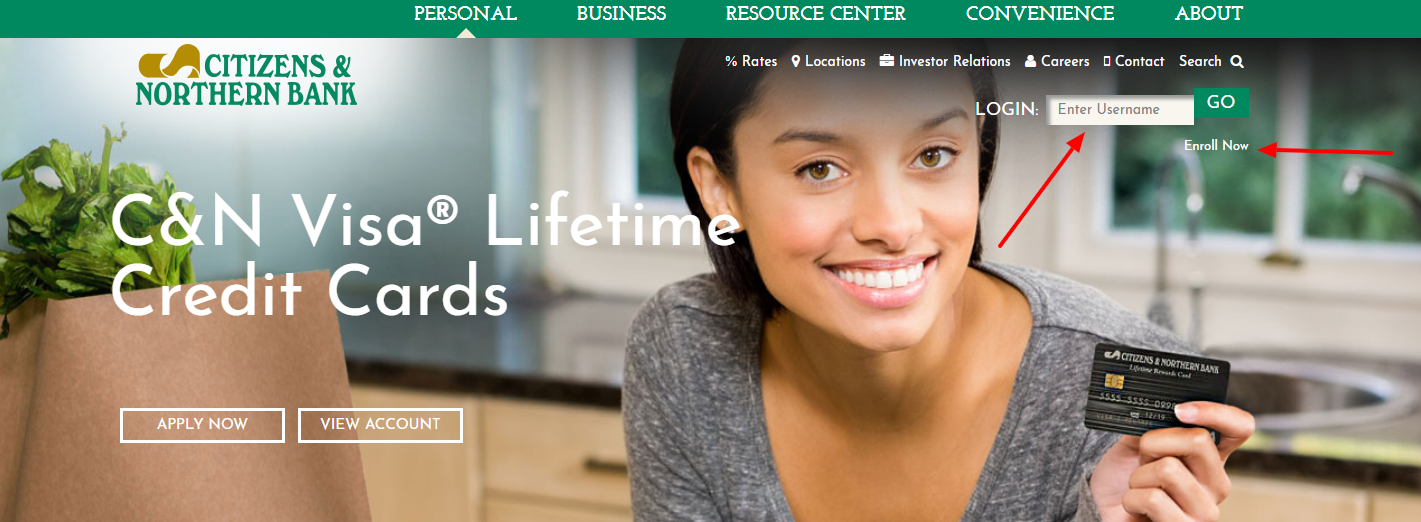
For C&N Visa Credit Card Log In, start from Citizens & Northern Bank’s current Credit Cards page and choose the card-account View Account route. Confirm the C&N Visa card service before entering credentials; do not use the ordinary Online Banking form or an old copied card address.

C&N Credit Card Account

  1. Open the current Citizens & Northern Bank website independently.
  2. Choose Personal or Business Credit Cards for the card held.
  3. Select View Account or the current credit-card account option.
  4. Enter the username and password registered for the card platform.
  5. Complete any identity or device verification requested by the service.
  6. Confirm the card ending, balance, due date, and recent transactions.
  7. Sign out completely after the card task is finished.

uChoose Rewards Account

  1. Confirm that the card is a C&N Lifetime Rewards or eligible business rewards card.
  2. Open uChoose Rewards from C&N’s current rewards or credit-card route.
  3. Register the rewards account when it has not been enrolled before.
  4. Use the rewards User ID and password rather than Online Banking credentials.
  5. Review the points balance, activated offers, expiration, and redemption choices.
  6. Confirm the card account remains open and eligible before redeeming.
  7. Sign out after the rewards task is complete.


Choose the Correct C&N Account Service

C&N Online Banking is designed for deposit and loan relationships. The C&N credit-card platform is a separate service for Visa Lifetime, Lifetime Rewards, and eligible business cards. MoneyManager may display a linked credit card inside Online Banking, but that consolidated view does not replace the card platform for every servicing action.

uChoose Rewards is another separate profile administered for the rewards program. C&N’s current information says new users register there and create a User ID and password. Select the service that owns the intended task before trying credentials or recovery steps.

  1. Use the credit-card platform for the Visa account.
  2. Use Online Banking for C&N deposit and loan accounts.
  3. Use uChoose Rewards for points and redemption.
  4. Do not expect one credential set to work everywhere.
  5. Match the card ending after card login.
  6. Match the rewards profile after uChoose login.
  7. Contact C&N when the owning service is uncertain.


Register and Recover Card Access

Use registration on the current C&N card platform and enter information that matches the card record. C&N’s published recovery instructions say username recovery starts with the card number, followed by the last four digits of the Social Security number and ZIP code; the service then sends an email to obtain the username.

Password recovery starts with the username, then asks for the last four Social Security digits and ZIP code before sending a reset email to the address on file. If those details or the email are unavailable, stop repeated attempts and contact C&N through the number on the card, statement, or current bank site.

  1. Register from the current C&N credit-card route.
  2. Match the cardholder and billing information exactly.
  3. Use the card number only inside the verified recovery service.
  4. Use the registered username for password recovery.
  5. Check the billing ZIP code and email on file.
  6. Stop after repeated identity-check failures.
  7. Confirm the expected card ending after recovery.

Payments, Statements, and Card Controls

The current C&N card platform supports a mobile-friendly account view, recurring payments, paperless statements, card activation, replacement-card requests, PIN management, eligible balance transfers, and transaction disputes. Available functions and terms depend on the card and account status.

Before a payment, compare the statement balance, current balance, minimum due, due date, funding account, and selected amount. Save the confirmation and verify posting before repeating a pending payment. Use the payment address and dispute instructions on the current statement or card agreement rather than an address copied from an old guide.

  1. Confirm the minimum payment and due date.
  2. Check the funding account and selected amount.
  3. Review recurring-payment settings after changes.
  4. Save the payment confirmation.
  5. Verify posting before submitting another payment.
  6. Use current card controls for activation or replacement.
  7. Report unfamiliar transactions promptly.

Lifetime Rewards and Current Card Terms

C&N currently offers a Visa Lifetime Card and a Visa Lifetime Rewards Card. The rewards card earns a base 1 point per $1 of eligible net purchases through uChoose Rewards, with some activated merchant offers advertising up to 10 points per $1. Cash advances, balance transfers, convenience checks, cash equivalents, fees, and interest do not earn points, and some payment methods or merchant coding can affect eligibility.

C&N’s application terms revised February 5, 2026 say points expire three years after they are earned and that rates and terms can change. The latest disclosure, cardholder agreement, statement, and account notices control the card. Review them before applying, transferring a balance, taking a cash advance, or relying on a reward.

  1. Confirm whether the card is Lifetime or Lifetime Rewards.
  2. Register the rewards profile before expecting online access.
  3. Check whether a purchase is an eligible net purchase.
  4. Activate featured-merchant offers when required.
  5. Monitor point expiration and redemption status.
  6. Use the latest disclosure for rates and fees.
  7. Keep card and rewards records separate.

Known Issues & Common Problems

Online Banking does not show card controls: Use C&N’s dedicated credit-card View Account route; MoneyManager or Online Banking does not replace the full card service.

Card credentials fail at uChoose: uChoose Rewards requires its own registration, User ID, and password for an eligible rewards card.

Recovery email does not arrive: Check the identity details and email on file, then contact C&N instead of repeating recovery indefinitely.

Payment remains pending: Keep the confirmation and review posting status before submitting the payment again.

Points are lower than expected: Check transaction type, merchant coding, activated offer, returns, posting, expiration, and current program terms.

Card or transaction is unfamiliar: Use the number on the current card or statement immediately and protect the card-platform credentials.

C&N Visa Credit Card Log In problems are easier to resolve after distinguishing the card platform, C&N Online Banking, and uChoose Rewards, then recording the card ending, exact error, device, payment or transaction, and last successful step.


Troubleshooting Tips

  1. Start from C&N’s current Credit Cards page.
  2. Choose View Account for the correct card type.
  3. Do not use the standard Online Banking form for card servicing.
  4. Use the current username or password recovery sequence.
  5. Check the billing ZIP code and registered email.
  6. Try a current browser and a trusted private network.
  7. Confirm the card ending after login.
  8. Review payment history before repeating a payment.
  9. Record the exact error, time, device, and last successful step.
  10. Contact C&N when identity or account access remains blocked.

Tell support whether the issue concerns registration, username, password, verification, payment, recurring payment, statement, activation, PIN, replacement, balance transfer, dispute, rewards, or suspected fraud.

Security Tips

  • Open C&N independently and use its current card route.
  • Never share a password, PIN, full card number, or verification code.
  • C&N says it will not contact customers to request an Online Banking login ID or password.
  • Reject unexpected requests to install software or share a screen.
  • Use unique credentials for card, banking, and rewards profiles.
  • Protect the registered email and phone accounts.
  • Review statements and unfamiliar transactions promptly.
  • Call the number on the card when a message seems suspicious.

A page or message using C&N, Visa, or uChoose branding is not automatically genuine. Reopen Citizens & Northern Bank’s current service independently and approve only payments or account changes the cardholder initiated.


Contact Customer Service

  • Card login, payment, activation, replacement, dispute, or fraud: use the current support channel on the C&N card, statement, or card portal.
  • General C&N assistance: Citizens & Northern Bank currently lists 877-838-2517.
  • uChoose Rewards: use the support or account route inside the current rewards service.
  • C&N Online Banking: use C&N digital-banking support for deposit or loan access rather than card-platform support.
  • Written payment or dispute correspondence: follow the current statement or card agreement.

Provide the card ending, cardholder name, statement date, amount, merchant, device, and exact error when relevant. Never send a password, full card number, security code, PIN, Social Security number, or one-time verification value in an ordinary message.


Related Login Guides


Frequently Asked Questions

Where is C&N Visa Credit Card Log In?

Start from Citizens & Northern Bank’s current Credit Cards page and choose View Account for the credit-card platform.

Who issues C&N Visa cards?

Citizens & Northern Bank is the creditor and issuer under a Visa license.

Is the card login the same as C&N Online Banking?

No. The dedicated card platform handles credit-card servicing, while Online Banking handles C&N deposit and loan relationships.

How do I recover my card username?

Use the current recovery route with the card number, then complete the requested last-four Social Security digits and ZIP-code verification.

How do I reset my card password?

Start with the card-platform username, complete identity verification, and use the reset email sent to the address on file.

Can I schedule recurring payments?

The current C&N card platform lists recurring payments among its account-management features.

Is uChoose Rewards the card login?

No. Eligible rewards cardholders register a separate uChoose Rewards User ID and password for points and redemption.

How many base points does Lifetime Rewards earn?

C&N currently states 1 point per $1 of eligible net purchases, subject to program exclusions and terms.

Should I repeat a pending payment?

No. Save the confirmation and verify posting status before submitting the payment again.

What should I do about a suspicious card message?

Do not use its link or share confidential details. Open C&N independently or call the number on the card and review the account immediately.


Summary

C&N Visa Credit Card Log In uses Citizens & Northern Bank’s dedicated card platform for Visa Lifetime, Lifetime Rewards, and eligible business card accounts. It is separate from C&N Online Banking and uChoose Rewards. Verify the service and card, protect credentials, check payments before repeating them, use current card controls and agreements, and route points or redemption work through the separate rewards profile.

Independent guide: This is an independent informational guide. It does not provide a login form, does not provide direct login links, does not request passwords or credentials, and does not collect banking data. Use the credit-card account’s official website, app, phone, or support channels directly for account access.

Last Updated on July 28, 2026

URL: https://log-in.me/credit-card/citizensnorthernbankcreditcards/