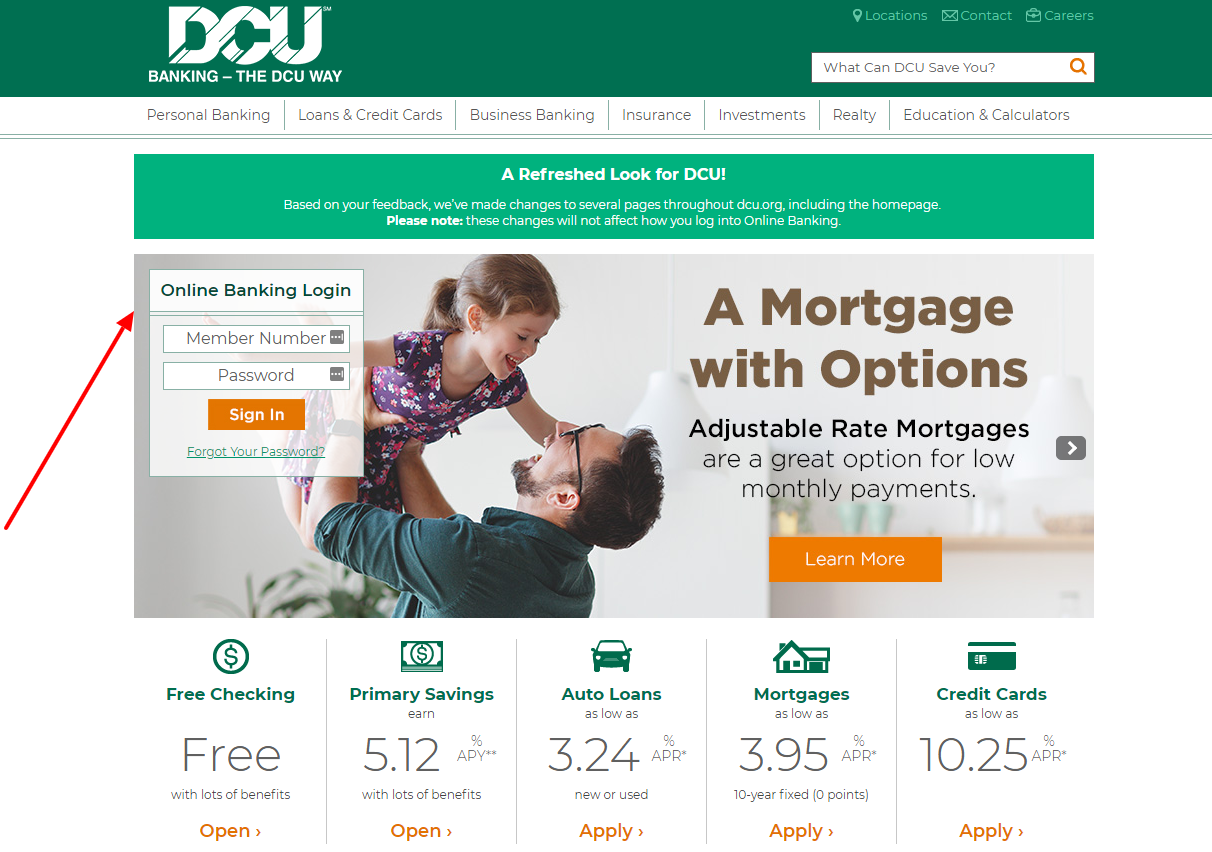
DCU Visa Platinum Credit Card Log In uses DCU Digital Banking for both browser and mobile access. Existing users sign in with their Digital Banking username and password. A first-time user starts with the DCU member number and creates a username before trying to manage the card.
The Visa Platinum remains a current DCU product. Inside Digital Banking, members can review the card account, make or check payments, read eStatements, request a balance transfer, use secure messages and manage eligible card controls. Start by identifying whether the problem is sign-in, first-time setup, payment, card settings or a suspicious transaction.
How to Log In
For DCU Visa Platinum Credit Card Log In, use the current DCU Digital Banking service rather than typing credentials into an article, advertisement or emailed link. Match the membership and card ending after sign-in before changing a payment or card control.
DCU Digital Banking on the Web
- Type the DCU address yourself and choose Digital Banking Login.
- Confirm that the service asks for a Digital Banking username and password.
- Enter the username created for the membership, not the card number.
- Complete any additional verification only for a session you initiated.
- Open Accounts and select the DCU Visa Platinum account matching the card ending.
- Review balance, due date, transactions, statements and payment status.
- Sign out completely when finished.
DCU Mobile App
- Install or open the current DCU app from the official app store.
- Use the same Digital Banking username and password.
- Approve a new device only when you initiated the sign-in.
- Select the Visa Platinum account with the expected ending.
- Use Account Services for available card settings, travel notices and account actions.
- Check whether a payment or transfer is pending before repeating it.
- Use biometric access only on a device you control.
First-Time Access and Credential Recovery
DCU separates existing Digital Banking access from first-time setup. Existing users enter a username and password. A first-time user chooses Get Started and uses the DCU member number to create a Digital Banking username. The member number is an enrollment identifier, not the everyday username displayed to others.
If access worked before, use the recovery controls rather than starting another membership or card application. An old saved member-number login may no longer match the current username flow. Check the exact error, the registered contact method and whether the failure occurred before or after verification.
- Choose Get Started only for first-time Digital Banking setup.
- Have the DCU member number ready for enrollment.
- Create a unique Digital Banking username and password.
- Use recovery for an existing username or password.
- Request one verification message at a time.
- Update an unavailable phone or email through verified DCU support.
- Confirm the Visa Platinum account appears after access is restored.
Payments, Statements, and Account Records
DCU Digital Banking supports account review and electronic statements. DCU also recommends AutoPay or payment alerts to help avoid missed due dates. Before paying the Visa Platinum, verify the card account, statement balance, minimum due, due date, funding account and any payment already scheduled.
Submit one payment, keep the confirmation and check whether it is scheduled, pending or completed. Do not repeat a payment only because the balance did not refresh immediately. Use the current Visa disclosure and account statement for rates, payment allocation, grace periods and billing-error rights.
- Open the Visa Platinum account in Digital Banking.
- Read the statement balance, minimum due and due date.
- Review AutoPay and already scheduled payments.
- Verify the funding-account ending.
- Submit the intended amount only once.
- Save the confirmation and review its status.
- Use secure support before repeating a missing payment.
Card Settings, Alerts, and Travel
DCU Card Settings is available for eligible consumer credit and debit cards in Digital Banking. It can turn a card on or off, control transaction or merchant types, set a transaction limit and send approval or decline alerts. On the web, select the linked account, choose Manage and then Card Settings. In the app, use Card Settings under Account Services.
A card setting can explain a decline even when login works. Joint owners and authorized users may be told that a control caused a decline, but DCU may need the primary account holder to change it. Travel Notifications remain separate and should be used when transactions may occur outside the usual area.
- Open the card account and choose Card Settings.
- Check whether the card is turned off.
- Review location, transaction-type and merchant-type controls.
- Check the transaction spending limit.
- Enable useful approval and decline alerts.
- Set a Travel Notification separately when appropriate.
- Request a replacement card if someone else may have accessed it.
Balance Transfers and Current Product Terms
DCU currently describes the Visa Platinum as having no annual, balance-transfer, foreign-transaction or cash-advance fees, subject to the current agreement and account terms. Membership is required. Rates and eligibility depend on the member and the disclosure in effect for the account.
Existing cardholders can reach the balance-transfer tool through Digital Banking. Confirm the outside creditor, account number, amount, available credit and acceptance notice before treating a transfer as complete. Continue paying the old creditor until that account shows the transfer and the remaining balance correctly.
- Read the current Visa disclosure for the specific account.
- Check available credit before requesting a transfer.
- Verify the outside creditor and account number.
- Submit one transfer request and keep its reference.
- Wait for confirmed posting at both institutions.
- Continue required payments until the old balance is settled.
- Contact DCU when a transfer is delayed, rejected or duplicated.
Known Issues & Common Problems
Member number does not sign in: Current everyday access uses the Digital Banking username; the member number is used for first-time setup.
Verification does not arrive: Request one code, check the registered phone or email and contact DCU when the stored contact method is outdated.
Visa account is missing: Confirm the membership and card ending, then ask DCU to review account linking or user authority.
A transaction is declined: Check card on/off state, transaction type, merchant category, spend limit and travel notice before retrying.
Payment is not visible: Review scheduled, pending and completed activity plus the confirmation before sending another payment.
Card is lost or activity is unknown: Call the verified lost-card number immediately rather than relying only on a temporary card setting.
DCU Visa Platinum Credit Card Log In problems usually become clear after separating first-time setup, credential recovery, account linking, card controls, payment status and suspected fraud. Record the exact stage that failed.
Troubleshooting Tips
- Use the current DCU Digital Banking page or app.
- Enter the Digital Banking username rather than the member number for normal login.
- Use Get Started only for first-time setup.
- Recover the username or password instead of guessing repeatedly.
- Request one verification code at a time.
- Try a current supported browser on a trusted device and network.
- Check card settings when login works but a purchase is declined.
- Review pending payments or transfers before repeating them.
- Record the exact error, time and last successful screen.
- Call 800-328-8797 when access or account status remains unclear.
Change one layer at a time: sign-in identity, verification, account visibility, card controls, payment or transfer. That prevents duplicate enrollments and financial instructions.
Security Tips
- Type the DCU address yourself or use a trusted bookmark.
- Never share a username, password, PIN, account number or verification code.
- Do not sign in from an unexpected email, text, advertisement or QR code.
- Approve only devices, payments and transfers you initiated.
- Use a unique Digital Banking password.
- Turn on useful transaction and decline alerts.
- Review statements and unknown activity promptly.
- Call the verified lost-card number immediately when the card is missing.
DCU says it will not ask for login credentials, account number or Social Security number in a telephone call it initiated, and it will not ask for that information by email. End the contact and verify independently.
Contact Customer Service
- DCU Information Center and Digital Banking lockout: 800-328-8797.
- Lost or stolen Visa card: 800-847-2911.
- Secure account message: log in independently and use Secure Email under Contact Us.
- Card Services mail: Digital Federal Credit Union, PO Box 9130, Marlborough, MA 01752-9130.
Tell DCU whether the issue concerns username, first-time setup, verification, missing account, payment, transfer, card setting, dispute or fraud. Never put a password or verification code in a message.
Related Login Guides
Frequently Asked Questions
Where is DCU Visa Platinum Credit Card Log In?
Use DCU Digital Banking in a browser or the current DCU Mobile App.
Do I sign in with my member number?
Existing users sign in with a Digital Banking username and password; the member number starts first-time setup.
Is the DCU Visa Platinum still available?
Yes. DCU currently presents the Visa Platinum as a member credit-card product.
How do I make a card payment?
Open the Visa account, verify amount, date, funding account and scheduled payments, then submit once and save confirmation.
Can I set up AutoPay?
DCU recommends AutoPay or payment alerts to help members avoid missed due dates.
Why was my card declined after login worked?
Review card on/off state, transaction and merchant controls, spending limit and travel notification.
Can I freeze and unfreeze the card?
Eligible consumer cards can be turned off and on through Card Settings in Digital Banking.
How do I request a balance transfer?
Use the balance-transfer tool in Digital Banking, verify every destination detail and keep the acceptance reference.
How do I report a lost or stolen Visa?
Call DCU immediately at 800-847-2911.
Where should I send sensitive account questions?
Use Secure Email inside Digital Banking rather than the public contact form or ordinary email.
Summary
DCU Visa Platinum Credit Card Log In uses DCU Digital Banking. Existing members use a username and password, while first-time users begin with a member number. Verify the card ending, check controls and pending activity before retrying, use current disclosures for product terms, and contact DCU promptly for lockout, dispute or fraud concerns.
Independent guide: This is an independent informational guide. It does not provide a login form, does not provide direct login links, does not request passwords or credentials, and does not collect banking data. Use the credit union’s official website, app, phone, or support channels directly for account access.
Last Updated on July 28, 2026
URL: https://log-in.me/credit-card/dcuvisaplatinumcreditcard/