First Interstate Bank Credit Card Log In depends on the specific card and account service shown on the current card or billing statement. First Interstate’s current login selector separates Online Banking, FirstRewards, and Business Credit Card Management, while its card pages also distinguish existing bank card tools from current personal-card offers issued by Elan Financial Services.
Do not choose a portal from the card’s old Montana, South Dakota, or Wyoming description alone. First Interstate now serves a broader footprint, and geography does not identify the account servicer. Match the card name, issuer, account ending, and statement instructions before entering credentials or submitting a payment.
How to Log In
For First Interstate Bank Credit Card Log In, start from First Interstate’s current account-type selector or the servicing route printed on the latest statement. Existing bank customers may see an eligible personal card within Online Banking, FirstRewards has a separate rewards entry, and business cards use separate management tools.
Personal Card Account
- Check the current card and latest statement for the exact issuer or servicer.
- Open First Interstate’s current login or card-tools area independently.
- Choose Online Banking or the card-management route that matches the statement.
- Use the registered username and password for that exact service.
- Complete any device, code, or identity verification requested by the servicer.
- Confirm the account ending, balance, due date, and recent activity.
- Sign out after reviewing or changing the card account.
Business Card Management
- Open the current First Interstate login selector independently.
- Choose Business Credit Card Management rather than personal Online Banking.
- Use the business user ID or credentials assigned to the authorized user.
- Select the correct company, cardholder, or card account when prompted.
- Review transactions, spending controls, statements, or payments within the authorized role.
- Ask the business administrator to confirm permissions when an account is missing.
- Close the session when administrative work is complete.
Identify the Card Before Signing In
The former page treated every First Interstate credit card as one account and limited the description to three states. Current official pages do not support that shortcut. First Interstate promotes personal and business cards, separate FirstRewards access, Online Banking visibility for eligible personal cards, and card-management tools with different credentials and permissions.
Current personal-card offers say Elan Financial Services is the creditor and issuer. First Interstate also maintains tools for FirstRewards, Platinum, and Secured cards and tells existing customers how to manage them. An account may therefore follow a different service path based on when and how it was issued. The current card and statement are the safest routing evidence.
- Read the exact product name on the card.
- Check the issuer or creditor named on the statement.
- Confirm whether the account is personal or business.
- Separate card management from FirstRewards redemption.
- Use Online Banking only when the eligible card appears there.
- Use the statement’s payment and support instructions.
- Call the verified number on the card when the service remains unclear.
Use Online Banking, Card Tools, and FirstRewards Correctly
First Interstate Online Banking can show balances and transactions and can include an eligible First Interstate personal credit card alongside other linked accounts. This is useful for customers who already use the bank’s digital service, but it does not mean every card offered through First Interstate uses the same bank username.
The card-tools area provides account management, payments, AutoPay, lost-card reporting, and benefit information for supported First Interstate cards. FirstRewards is a rewards program rather than the billing account itself. A rewards login should be used for points activity, while balances, payments, disputes, limits, and account ownership belong to the card-account service.
- Use Online Banking for linked account visibility and bank tools.
- Use the matching card-management service for card activity.
- Use FirstRewards only for supported rewards activity.
- Use Business Credit Card Management for authorized company cards.
- Review the account ending before taking action.
- Keep bank, card, and rewards credentials distinct.
- Contact the current servicer when a card does not appear.
Register, Recover Access, and Manage Payments
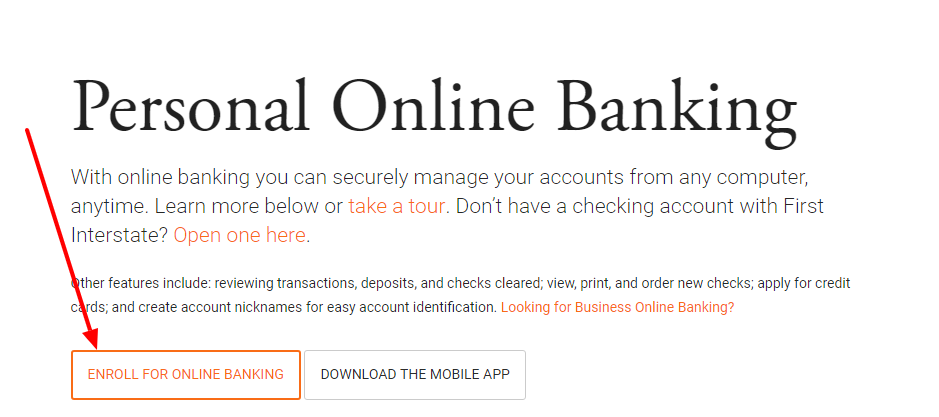
A new user should enroll from the registration control attached to the correct First Interstate Bank Credit Card Log In service. Enter information that matches the card account, create unique credentials, and complete the requested verification. Do not register repeatedly in unrelated portals when an account is not found; first confirm whether the card is bank-serviced or issued and serviced by Elan.
For a forgotten username or password, use the recovery control on that same service. For payments, verify the current balance, minimum due, due date, funding account, amount, and delivery date before submitting. Save the confirmation and check payment history before retrying a pending or apparently failed payment.
- Start registration from the matching official account service.
- Enter cardholder information exactly as recorded.
- Use a unique password not shared with email or banking.
- Recover credentials from the same portal used for enrollment.
- Review amount and funding account before payment submission.
- Save the payment confirmation and expected delivery date.
- Check history before repeating a payment.
Handle Rewards, Travel, and Card Security
Supported FirstRewards cardholders can use the current rewards route to review and redeem eligible points under the current program rules. Rewards status is not proof that the billing account is current, and a card payment does not automatically resolve a rewards question. Check the relevant service and current terms for each task.
First Interstate advises customers to provide travel details to reduce avoidable card disruption. Its current card-tools guidance lists a separate number for international travel support. For loss, theft, or unfamiliar activity, contact the verified card service promptly so the account can be protected; do not wait for an ordinary login problem to resolve itself.
- Use the rewards route only for an eligible FirstRewards account.
- Review current earning, redemption, inactivity, and expiration rules.
- Set a travel notice through a verified service when advised.
- Keep the card and registered contact details current.
- Review alerts and transactions for unfamiliar activity.
- Report a lost or stolen card immediately.
- Use the number on the card or current statement for urgent servicing.
Known Issues & Common Problems
Card is missing from Online Banking: Confirm that the card is eligible and linked, then check whether the current statement names a separate card servicer.
Card portal rejects registration: Verify the issuer, cardholder details, account status, and exact service before creating another registration.
FirstRewards login works but billing is unavailable: Rewards and billing are separate functions; use the matching card-account route for balances, statements, and payments.
Business card is not visible: Use Business Credit Card Management and ask the company administrator to confirm the user’s role and card assignment.
Payment looks pending or failed: Check payment history, funding account, confirmation, and delivery date before resubmitting to avoid a duplicate.
Transaction is unfamiliar: Do not merely change a password; contact the verified current card servicer promptly and follow its protection or dispute process.
First Interstate Bank Credit Card Log In problems are easier to resolve after recording the product name, issuer, personal or business account type, account ending, chosen service, exact error, device, and last successful step. Never include a password, full card number, security code, or one-time verification value in an ordinary message.
Troubleshooting Tips
- Confirm the issuer and servicer on the current statement.
- Choose personal, business, or rewards access correctly.
- Use a supported current browser or trusted mobile app.
- Allow required cookies, JavaScript, and pop-ups for the official service.
- Check the username and password for that exact portal.
- Use recovery instead of repeated password guessing.
- Verify administrator permissions for a business card.
- Check payment or transaction history before repeating an action.
- Record the exact error and last successful step.
- Contact the current servicer when access remains blocked.
Tell support whether the problem concerns bank Online Banking, separate card management, Elan servicing, FirstRewards, a business-user role, enrollment, recovery, payment, travel, a lost card, or suspected fraud. That distinction prevents the case from being sent to the wrong service.
Security Tips
- Open First Interstate or the statement-named servicer independently.
- Verify the issuer before entering a card account credential.
- Never share a password, card PIN, security code, or one-time code.
- Do not approve a payment or device prompt initiated by an unknown caller.
- Use unique credentials for bank, card, rewards, and email accounts.
- Review alerts, linked devices, and recent card activity.
- Call a verified number when a card is lost, stolen, or used unexpectedly.
- Keep payment confirmations without storing full card credentials.
A message using First Interstate, Mastercard, Visa, FirstRewards, or Elan branding is not automatically genuine. Reopen the current service independently or use the number printed on the card or statement before disclosing information or approving an action.
Contact Customer Service
- First Interstate Client Contact Center: 855-342-3400. Current support hours are Monday through Friday, 7:30 a.m. to 7:00 p.m. Mountain Time, and Saturday, 9:00 a.m. to 2:00 p.m. Mountain Time.
- Supported First Interstate card tools, lost card, or travel notice: current card guidance also directs customers to Payment Services at 855-342-3400.
- International travel support for supported bank cards: current card-tools guidance lists 727-227-2447.
- Secure message or chat: eligible Online Banking customers can use the authenticated support route.
- Elan-issued personal card: use the current service and telephone number printed on that card or statement.
- Immediate unfamiliar activity: use the verified number on the card or statement without waiting for email support.
Have the card product, issuer, account ending, cardholder or business name, device, exact error, and approximate time available. Never send a password, PIN, full card number, security code, or verification token in an ordinary message.
Related Login Guides
Frequently Asked Questions
Where is First Interstate Bank Credit Card Log In?
Start from First Interstate’s current login selector or the card service printed on the latest statement, then choose personal Online Banking, card management, FirstRewards, or business access as appropriate.
Can I see a personal card in First Interstate Online Banking?
First Interstate says eligible personal credit cards can be managed within Online Banking, but a separately serviced card may use another account route.
Who issues current First Interstate personal-card offers?
The current personal credit-card page states that Elan Financial Services is the creditor and issuer of the cards presented there.
Is FirstRewards the card billing login?
No. FirstRewards is for supported rewards activity; balances, statements, payments, and disputes belong to the applicable card-account service.
How do I access a business credit card?
Choose Business Credit Card Management from the current selector and use an authorized company-user profile with the required permissions.
How do I recover card access?
Use the username or password recovery control on the same official service used for enrollment, or contact the servicer shown on the statement.
How do I make a card payment safely?
Use the matching official card account, verify the amount and funding account, save the confirmation, and check history before retrying.
Why does the old page mention only Montana, South Dakota, and Wyoming?
That was an outdated geographic label and does not determine today’s card servicer or login route.
What if my card is lost or a transaction is unfamiliar?
Contact the verified current card servicer immediately using the number on the card, statement, or current official support area.
What information should I give support?
Provide the product, issuer, account ending, account type, device, exact error, and approximate time, but never a password, PIN, full card number, or verification code.
Summary
First Interstate Bank Credit Card Log In is not one universal portal. Match the current card and statement to personal Online Banking, supported bank card tools, an Elan-issued card service, FirstRewards, or Business Credit Card Management. Keep billing and rewards tasks separate, verify every payment, protect credentials, and contact the current servicer immediately for loss, theft, or unfamiliar activity.
Independent guide: This is an independent informational guide. It does not provide a login form, does not provide direct login links, does not request passwords or credentials, and does not collect banking data. Use the credit card account’s official website, app, phone, or support channels directly for account access.
Last Updated on July 28, 2026
URL: https://log-in.me/credit-card/firstinterstatebankcreditcardsmontana-southdakota-wyoming/