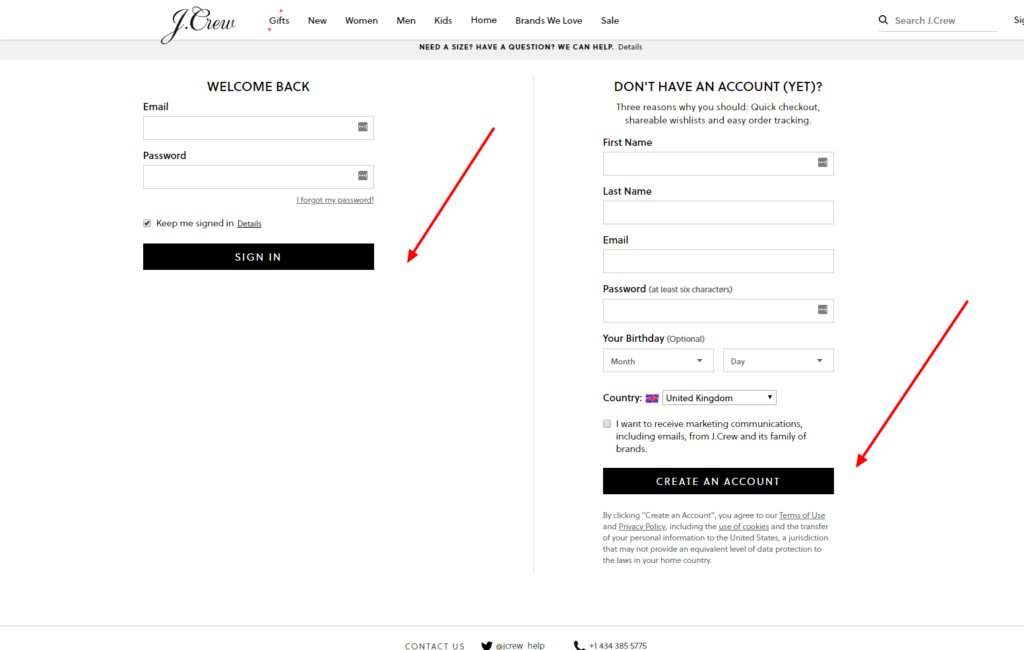
J.Crew Credit Card Log In is now provided through Synchrony Bank. J.Crew says cardholders can manage the account in a browser or from the J.Crew app, while the separate J.Crew Passport shopping profile controls loyalty membership and store preferences.
Check the newest card and statement before signing in. Use the Synchrony-issued card account for balances, statements, payments and card servicing. Use the J.Crew shopping profile for orders and Passport rewards information, not as a substitute for the card account.
How to Log In
For J.Crew Credit Card Log In, start from J.Crew’s current credit-card information and confirm Synchrony before entering credentials. Older Comenity instructions are obsolete after Synchrony acquired the portfolio and launched the current program.
J.Crew card website
- Check that the current card or statement identifies J.Crew and Synchrony Bank.
- Type the J.Crew address yourself and open its Credit Card information.
- Choose Manage your account for an existing card.
- Confirm that the servicing page identifies Synchrony.
- Enter the username and password registered for the card account.
- Verify the card ending, balance, due date and recent activity.
- Sign out completely when finished.
J.Crew mobile app
- Install or open the current J.Crew app from the official app store.
- Open Account and choose J.Crew Credit Card.
- Use the Synchrony card-account credentials when the card service opens.
- Complete verification only for a session you initiated.
- Select the matching J.Crew card account.
- Check payment status before submitting anything new.
- Use biometric access only on a device you control.
Register the Current Synchrony Account
J.Crew says a new cardholder can register after receiving the card and account number. It says a mailed card normally arrives in 7–10 business days, while an instantly approved temporary account number can be valid for 15 days. The current J.Crew registration service identifies Synchrony Bank and asks for the account number and billing ZIP code to begin account lookup.
Synchrony’s general registration guidance also explains that identity checks can use the primary holder’s Social Security number details and date of birth. Register only the current Synchrony account; old Comenity credentials may not be the active profile.
- Start from J.Crew’s current Credit Card page.
- Choose the current account-management route.
- Select Register for online access.
- Enter the current account number and billing ZIP code.
- Complete identity verification for the primary account holder.
- Create a unique username and password.
- Confirm the correct card ending before adding a payment account.
Recover Access and Handle Old Credentials
Use the username or password recovery option on the current Synchrony service rather than repeatedly guessing. A J.Crew Passport password, store-order password or saved Comenity password may be different from the active card credentials.
When a password manager fills an old address, remove the obsolete entry and save the verified Synchrony profile. Call the number on the current card if account lookup or identity validation fails.
- Confirm the servicing page is the current Synchrony page.
- Check Caps Lock and the saved username once.
- Use Forgot username when the username is uncertain.
- Use Forgot password when the username is known.
- Request one verification message at a time.
- Update outdated contact information through verified support.
- Do not create a second card profile when recovery is still pending.
Payments, Statements, and Autopay
Synchrony card management can show account activity, statements and payments. Its current guidance says a one-time online payment can be reviewed before submission and should produce a confirmation; registered users may also schedule payments and manage statement delivery.
Before paying, verify the card ending, payment amount, date, funding account and any existing automatic payment. A manual payment does not necessarily cancel autopay. Check scheduled, pending and processed activity before repeating a payment.
- Read the current statement balance and minimum due.
- Check the due date and current payment cutoff.
- Verify the funding account ending.
- Review existing scheduled and automatic payments.
- Submit the payment only once.
- Save the confirmation email or number.
- Call support before repeating a payment whose status is unclear.
Current Card and Passport Rewards
Synchrony and J.Crew announced the current partnership in 2023 and launched the new program in 2024. J.Crew currently offers a store card and a J.Crew Mastercard issued by Synchrony. The store card is intended for J.Crew and J.Crew Factory purchases, while the Mastercard can also be used wherever Mastercard is accepted.
J.Crew currently says 200 cardmember points produce a $5 reward. Its published card page describes 5% back for NAVY members and 7.5% back for GOLD members on eligible J.Crew and J.Crew Factory purchases, plus an extra 20% first-purchase offer subject to its exclusions. These figures and rules can change, so use the newest disclosures and Passport terms rather than old screenshots or archived copy.
- Confirm whether the account is the store card or J.Crew Mastercard.
- Keep the J.Crew Passport email consistent with the card application when required.
- Check the current Passport tier before estimating rewards.
- Read exclusions before using a first-purchase offer.
- Do not treat promotional percentages as permanent account terms.
- Use the current card agreement for rates and fees.
- Ask card support when rewards are missing from an eligible purchase.
Known Issues & Common Problems
Old Comenity login no longer works: The current J.Crew program is issued and serviced by Synchrony. Start from J.Crew’s current card page and register or recover the Synchrony profile.
Passport password fails: J.Crew Passport and the Synchrony card account are separate profiles even when they use the same email address.
Card is missing: Register or add the current account using the card and billing details, then call the number on the card if identity matching fails.
Payment is not visible: Check scheduled, pending and processed activity plus the confirmation before submitting another payment.
Rewards are missing: Confirm Passport enrollment, tier, eligible purchase and account standing, then ask card support about the specific transaction.
Wrong card type appears: Verify whether the account is a J.Crew store card or J.Crew Mastercard and compare the last digits with the newest statement.
J.Crew Credit Card Log In problems commonly involve an obsolete Comenity bookmark, confusion with J.Crew Passport, incomplete Synchrony registration or an uncertain payment state. Establish the current card and account ending before changing credentials or sending money.
Troubleshooting Tips
- Start from J.Crew’s current Credit Card page.
- Confirm Synchrony Bank as the issuer.
- Use card credentials rather than a Passport password.
- Register the current card when online access was never created.
- Use the matching username or password recovery path.
- Request only one verification message.
- Remove an obsolete Comenity bookmark from the password manager.
- Check scheduled and pending payments before retrying.
- Record the exact error and last successful step.
- Call the number on the card when identity or payment status remains unclear.
Separate sign-in, registration, Passport rewards and payment problems. Change one thing at a time and do not create duplicate profiles or payments while the status is uncertain.
Security Tips
- Type the J.Crew address yourself and open its current card page.
- Confirm Synchrony before entering card credentials.
- Never share a password, PIN or one-time code.
- Do not sign in from an unexpected email, text, ad or QR code.
- Approve only devices and payments you initiated.
- Use a unique card-account password.
- Review statements and transaction alerts promptly.
- Call the number on the card after suspected fraud.
A caller can know the J.Crew name without representing Synchrony. End unexpected contact and call the number printed on the current card or statement.
Contact Customer Service
- Card access, balance, payment, or fraud: use the number on the current J.Crew card or newest statement.
- Current online servicing: start from J.Crew’s Credit Card page and choose Manage your account.
- Paperless-account help shown on older Comenity records: do not rely on it until the current issuer is confirmed.
- J.Crew orders and Passport: use J.Crew customer service rather than card support.
Tell support whether the issue concerns registration, sign-in, payment, rewards, card type or a disputed transaction. Provide the card ending, but never a password or one-time code.
Related Login Guides
Frequently Asked Questions
Where is J.Crew Credit Card Log In?
Start from J.Crew’s current Credit Card page and choose Manage your account for the Synchrony-issued card.
Who issues the current J.Crew Credit Card?
J.Crew and Synchrony identify Synchrony Bank as the issuer of the current J.Crew Credit Card and J.Crew Mastercard.
Do old Comenity credentials still work?
The current program is serviced by Synchrony. Register or recover the current Synchrony profile instead of relying on an obsolete Comenity bookmark.
Is J.Crew Passport the same as the card account?
No. Passport is the shopping and loyalty profile, while Synchrony services the financial account.
What is needed to register the card?
The J.Crew registration service begins with the current account number and billing ZIP code, followed by required identity and profile setup.
Can I manage the card in the J.Crew app?
J.Crew says cardholders can open Account, choose J.Crew Credit Card and access the current card service.
How do I make a payment?
Open the Synchrony account, verify amount, date and funding account, submit once and save the confirmation.
Why is a payment not showing?
Check scheduled, pending and processed activity plus the confirmation before trying again, then contact card support.
Where can the J.Crew Mastercard be used?
J.Crew says the Mastercard can be used wherever Mastercard is accepted, while the store card is for J.Crew and J.Crew Factory.
How do J.Crew card rewards work?
Rewards depend on the current J.Crew Passport program, card type, tier, eligible purchases and current terms.
Summary
J.Crew Credit Card Log In now belongs to Synchrony Bank. Start from J.Crew’s current card page, use the Synchrony card profile rather than an old Comenity bookmark or Passport password, confirm every payment, and read current card and Passport terms before relying on promotional rewards.
Independent guide: This is an independent informational guide. It does not provide a login form, does not provide direct login links, does not request passwords or credentials, and does not collect banking data. Use the card issuer’s official website, app, phone, or support channels directly for account access.
Last Updated on July 28, 2026
URL: https://log-in.me/credit-card/j-crewcreditcard/