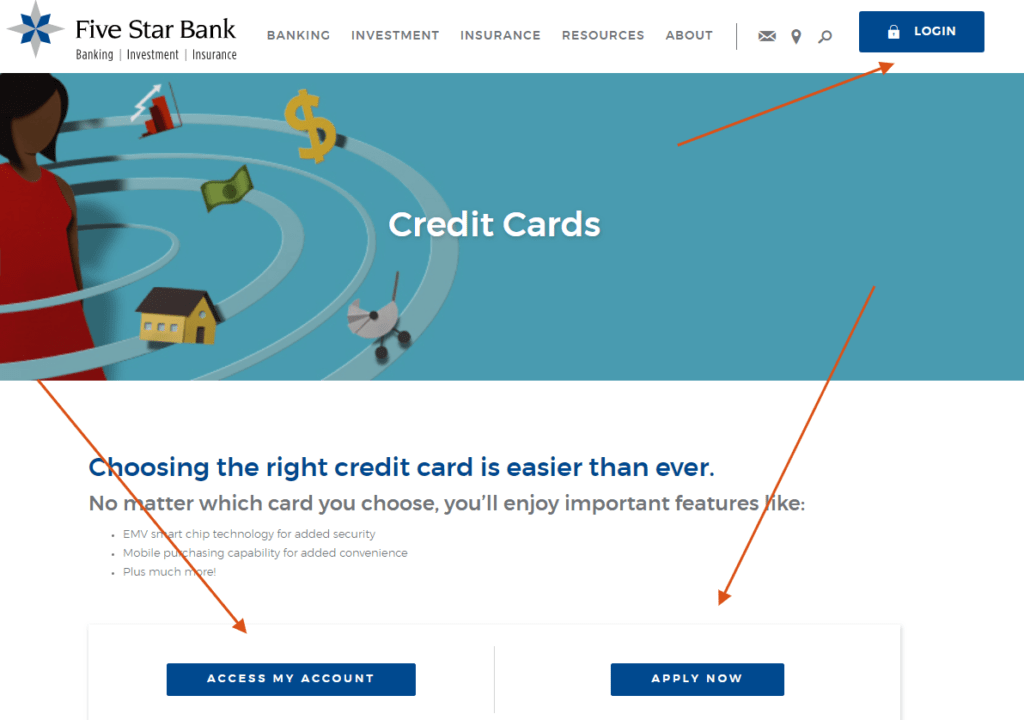
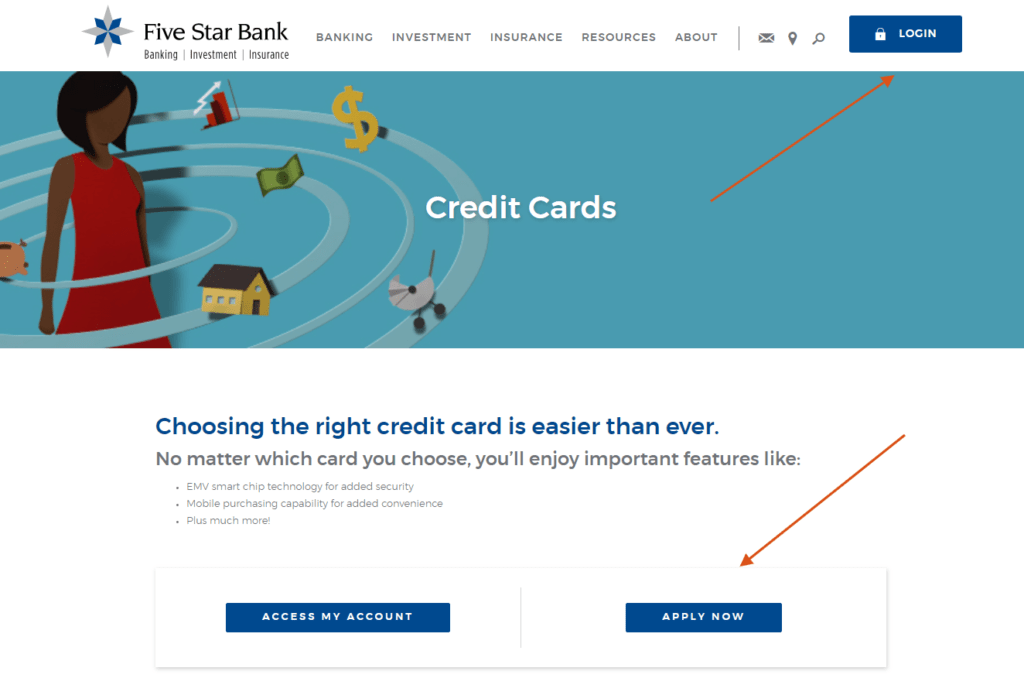
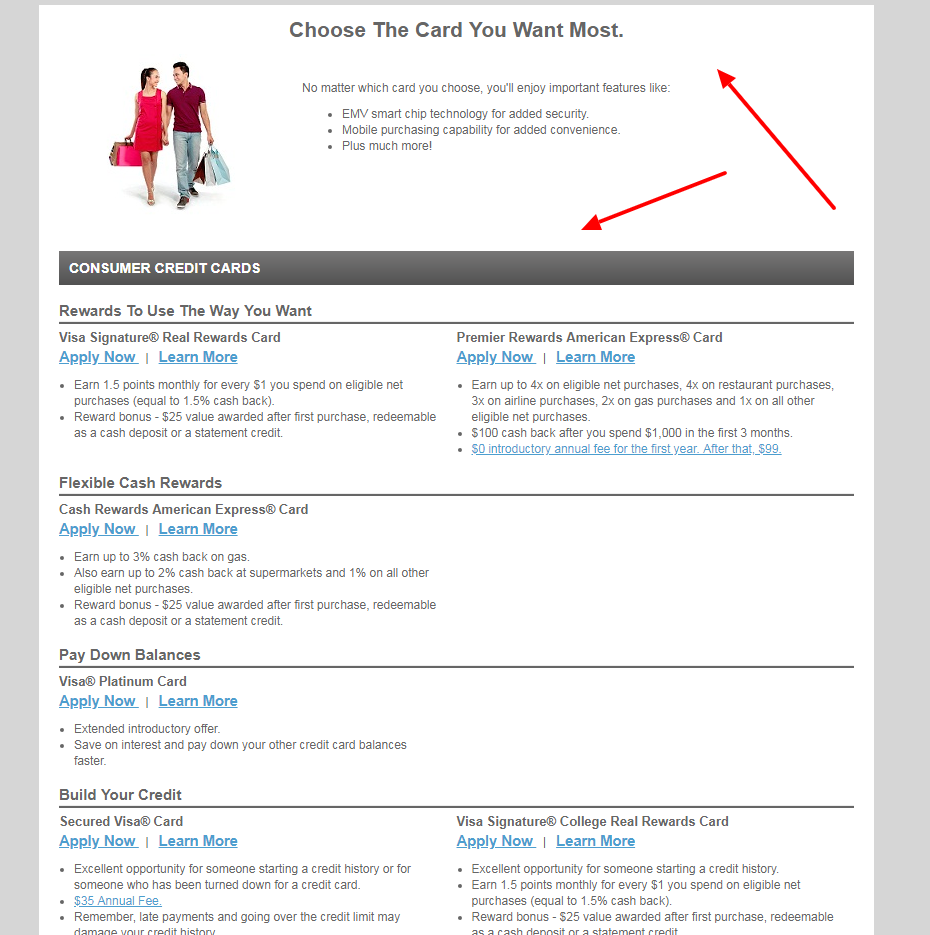
Five Star Bank Log In separates deposit-account Digital Banking from credit-card servicing. Personal and business banking customers use Five Star Bank Digital Banking with a Login ID and password, while Five Star-promoted Visa credit cards are issued and serviced by Elan Financial Services through its separate account-access service.
This guide concerns Five Star Bank serving Western New York, with ABA routing number 022304030. It does not cover unrelated banks with similar names. Confirm the bank, account type, card type, and expected service before entering credentials.
How to Log In
For Five Star Bank Log In, start from the current bank site or trusted Digital Banking app. Use the bank Login ID for checking, savings, loans, debit cards, and supported business accounts. Use the Elan card-account profile for a Five Star Visa credit card. Confirm the expected customer and account ending before acting.
Five Star Digital Banking
- Open the current Five Star Bank website or trusted Digital Banking app.
- Choose the blue Digital Banking login control.
- Enter the registered Login ID.
- Enter the unique Digital Banking password privately.
- Complete multifactor authentication when requested.
- Confirm the expected accounts, loans, and recent activity.
- Sign out completely after the banking task is finished.
Elan Visa Credit Card Account
- Start from the current Five Star Bank credit-card area or a trusted statement route.
- Choose Access My Account and review the external-service notice.
- Confirm that the destination identifies Elan credit-card account access.
- Enter the username and password enrolled for the card account.
- Complete the assigned card-account verification privately.
- Confirm the card ending, balance, due date, and recent transactions.
- Sign out after payments, statements, or rewards tasks are complete.
Choose Bank, Debit Card, or Credit Card Access
Five Star Digital Banking manages eligible bank accounts, transfers, bill payments, statements, messages, and Five Star debit or ATM cards. The Card Management tile inside Digital Banking can lock or unlock a debit or ATM card, report it lost or stolen, order a replacement, view limits, and manage supported alerts.
Five Star Visa credit cards are different. Elan Financial Services is the creditor and issuer and operates the credit-card account portal. A Five Star Login ID is not automatically an Elan card username. Match the physical card and latest statement to the correct service.
- Use Five Star Digital Banking for deposit and loan accounts.
- Use Card Management for Five Star debit and ATM cards.
- Use Elan Account Access for a Five Star Visa credit card.
- Do not enter bank credentials into the Elan card portal.
- Do not enter Elan credentials into ordinary bank access.
- Match the last four digits after signing in.
- Call support when the card issuer or account type is uncertain.
Enroll and Recover Digital Banking
A customer with an eligible Five Star account can complete the current enrollment form to create a Digital Banking Login ID and password. The bank provides separate Personal and Business enrollment choices. The same established profile can be used through the supported browser service or Five Star Digital Banking app.
For a forgotten password, choose Forgot Password on the verified login screen, enter the Login ID, select an available reset-delivery method, and meet the current password requirements. The Customer Call Center or a local branch can assist when self-service recovery is unavailable.
- Open an eligible account before starting enrollment.
- Choose Personal or Business enrollment correctly.
- Create a unique Login ID and password.
- Protect the registered phone and email account.
- Use Forgot Password instead of repeated guesses.
- Complete only the reset request you initiated.
- Confirm recent activity after access is restored.
Transfers, Bills, Deposits, and Statements
Current Digital Banking supports balance and pending-transaction review, transaction history, mobile check deposit, bill and loan payments, scheduled payments, transfers, Send Money, secure messages, external-account connections, statements, and security or low-balance alerts. Some external connections show a consolidated financial picture but do not enable transactions.
Before moving money, confirm the source, recipient, amount, schedule, frequency, security question when applicable, and confirmation. A pending payment or transfer should be checked in history before it is repeated. Keep a deposited check until the bank’s current retention guidance permits destruction.
- Confirm the source account and available balance.
- Verify the recipient, email, phone, or external account.
- Review the amount, send date, and frequency.
- Use a recipient security question that is not easily guessed.
- Save the payment or transfer confirmation.
- Review transaction history before resubmitting.
- Download statements and reconcile account activity.
Cards, Alerts, and Fraud Response
Five Star Card Management supports separate controls for each debit or ATM card. A misplaced card can be temporarily locked and later unlocked. Reporting a card lost or stolen permanently disables it and requires a replacement. The bank says replacement delivery typically takes about 2 weeks.
Credit-card fraud and servicing go through Elan using the current number on the card or statement. Five Star says Elan Cardmember Service is available 24 hours a day, 365 days a year and provides Zero Fraud Liability for qualifying unauthorized transactions when promptly reported, subject to conditions.
- Select the exact debit or ATM card in Card Management.
- Temporarily lock a misplaced card while searching.
- Report a confirmed lost or stolen card promptly.
- Activate a replacement through the verified process.
- Set useful transaction and location alerts.
- Call Elan for credit-card fraud or servicing.
- Review all small and unfamiliar transactions.
Known Issues & Common Problems
Login ID or password fails: Confirm the Five Star Digital Banking service and use Forgot Password instead of repeated guesses.
Credit card is not visible: Use Elan Account Access; the Five Star-promoted Visa card is serviced separately from bank Digital Banking.
External account only displays data: A linked account can support financial reporting without enabling transfers; use External Account Setup for transactional linking.
Security alert appears: Check whether a third-party account link triggered it, review activity, and report any attempt you do not recognize.
Debit card remains locked: Open Card Management, select the correct card, verify its status, and contact the bank if it was permanently disabled.
Payment status is unclear: Keep the confirmation and inspect history before submitting the same payment again.
Five Star Bank Log In problems are easier to resolve after identifying whether the failure affects bank Digital Banking, a debit or ATM card, or the Elan credit-card account, then recording the device, error, time, and last successful step.
Troubleshooting Tips
- Confirm this is the Western New York Five Star Bank.
- Choose bank Digital Banking or Elan credit-card access correctly.
- Re-enter the enrolled Login ID or card username once.
- Use the verified forgot-password flow when needed.
- Check the registered phone, email, and multifactor method.
- Use a current browser or trusted app version.
- Confirm the expected account and last four digits.
- Review pending transactions before repeating an instruction.
- Record the exact error, time, device, and last successful step.
- Call the bank or Elan when recovery remains blocked.
Tell support whether the issue concerns enrollment, Login ID, password, multifactor access, account visibility, debit-card controls, credit-card servicing, payment, transfer, statement, alert, or suspected fraud.
Security Tips
- Start from the current Five Star site or trusted app.
- Never share login credentials or secure access codes.
- Reject unexpected remote-access and screen-sharing requests.
- Use unique credentials and protect registered contact methods.
- Review mandatory security notifications promptly.
- Limit business and employee access to authorized roles.
- Check account and card activity regularly.
- Report suspicious access or transactions immediately.
Five Star Bank states that it will never request login credentials or secure access codes. A caller, message, or site using the bank’s name does not prove legitimacy; contact the bank or card issuer independently.
Contact Customer Service
- Five Star Bank Customer Call Center: 877-226-5578.
- Debit or ATM card support: 877-226-5578 or a local Five Star branch.
- Debit or ATM card activation: 877-882-5782, then select Option 5, as currently published.
- Elan credit-card servicing: use the current number on the back of the card or statement.
- ABA routing number: 022304030; it identifies the bank but is not a login credential.
Provide the account or card ending, customer or business name, device, time, exact error, and transaction reference when relevant. Never disclose a password, PIN, secure access code, or full card number in an ordinary message.
Related Login Guides
Frequently Asked Questions
Where is Five Star Bank Log In?
Use the blue Digital Banking login on the current Five Star Bank site or its trusted app.
What credentials does Digital Banking use?
It uses the Login ID and password created for the Five Star Digital Banking profile.
How do I enroll?
Open an eligible account, choose Personal or Business enrollment, and complete the current verification form.
How do I reset the password?
Choose Forgot Password, enter the Login ID, and use an available verified delivery method.
Why is my Visa credit card missing?
Five Star-promoted Visa credit cards are issued and serviced by Elan through separate Account Access.
Can I lock a debit card online?
Yes. Use the Card Management tile in Digital Banking to lock or unlock an eligible debit or ATM card.
What happens when I report a card lost?
It is permanently disabled and a replacement must be ordered; a temporary lock can be reversed if the card is found.
Should I repeat a pending payment?
No. Keep the confirmation and inspect transaction history before submitting it again.
Will Five Star ask for a secure access code?
The bank states it will never request login credentials or secure access codes from customers.
Who handles credit-card fraud?
Contact Elan immediately through the current number on the credit card or statement.
Summary
Five Star Bank Log In separates bank Digital Banking, debit and ATM Card Management, and Elan Visa credit-card servicing. Choose the correct service, protect Login IDs, passwords, and secure access codes, verify recipients and payments, use reversible card locks appropriately, retain confirmations, monitor alerts and activity, and contact Five Star or Elan for unresolved access, card, or fraud problems.
Independent guide: This is an independent informational guide. It does not provide a login form, does not provide direct login links, does not request passwords or credentials, and does not collect banking data. Use the bank’s official website, app, phone, or support channels directly for account access.
Last Updated on July 28, 2026
URL: https://log-in.me/credit-card/log-in-to-your-five-star-bank-account/