Ralphs Rewards Plus Visa Card ❤️ Log In

Notice: This page is an independent login-help guide for Ralphs Rewards Plus Visa Card and Ralphs Rewards Mastercard users. It is not affiliated with Ralphs, Kroger, U.S. Bank, Visa, Mastercard, or any card issuer. It does not contain a login form and will never ask for your card number, password, PIN, online banking code, CVV, or Social Security number.

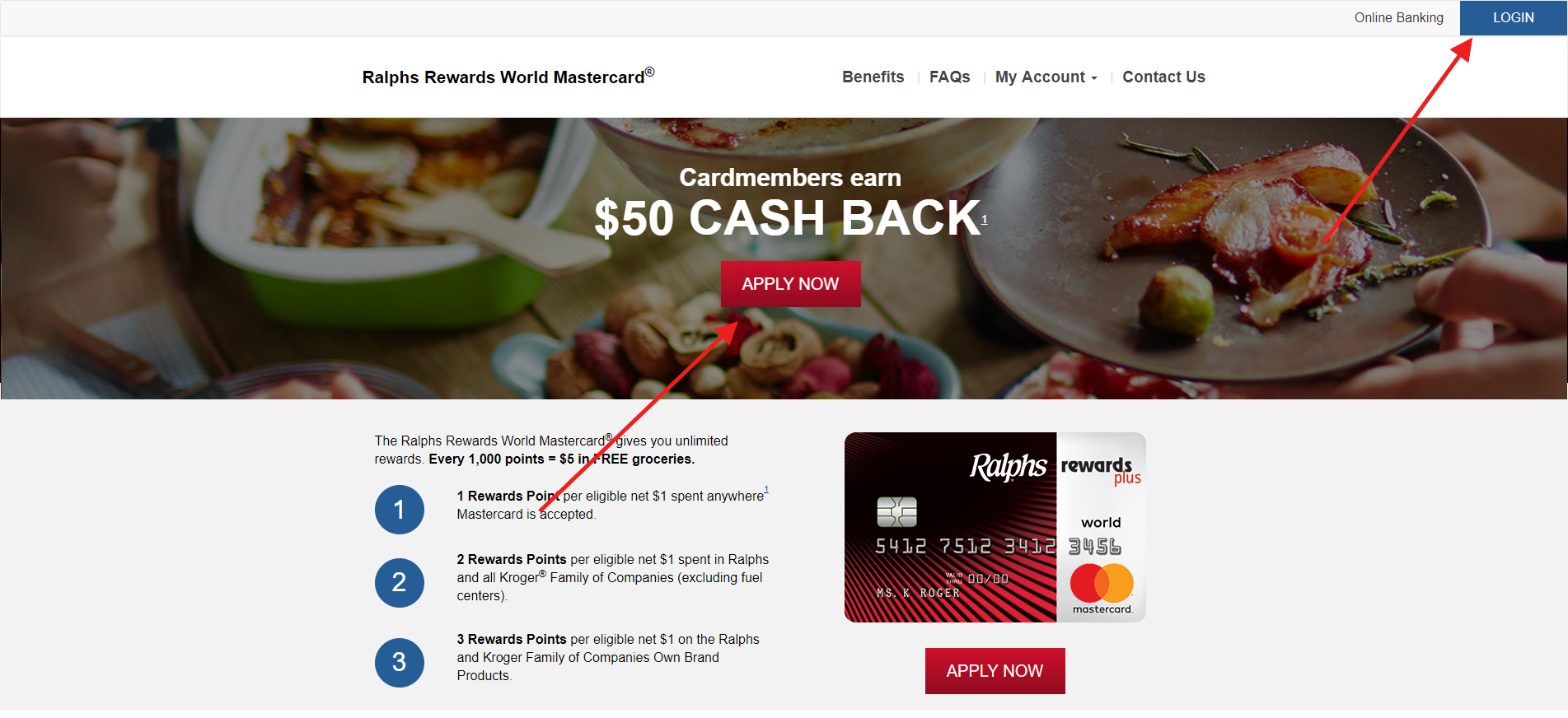
Trying to log in to a Ralphs Rewards Plus Visa Card account? Treat this as a legacy card name. The current Ralphs-branded credit card is commonly presented as the Ralphs Rewards World Elite Mastercard issued by U.S. Bank. Existing cardholders should use U.S. Bank online banking, the U.S. Bank Mobile App, or the Ralphs Mastercard cardmember site to manage the account.


How to Log In to Ralphs Rewards Plus Visa Card

U.S. Bank Online Banking

  1. Open U.S. Bank online banking from a trusted bookmark or typed address.
  2. Enter your personal ID and password.
  3. Complete any one-time-code, device, or identity check shown in the session you started.
  4. Choose the Ralphs Rewards Plus Visa Card, Ralphs Rewards World Mastercard, or current Ralphs card account from the account list.
  5. Review balance, available credit, transactions, statement, due date, rewards, card controls, and alerts.

Mobile App Login

  1. Open the U.S. Bank Mobile App already installed on your phone.
  2. Sign in with your U.S. Bank credentials, biometric login, or other enabled security method.
  3. Tap the Ralphs card account after login.
  4. Use the card account screen for payments, statements, rewards balance, alerts, and card controls.
  5. If the app fails, try browser online banking before assuming the card is closed.


Old Visa Name vs Current Mastercard Name

  • The old article title used Ralphs Rewards Plus Visa Card, but current public materials point to Ralphs Rewards World Elite Mastercard.
  • Ralphs is part of the Kroger family of companies, and the card is issued by U.S. Bank National Association.
  • If your statement still shows Visa wording, manage the account by issuer and account number rather than by old product name.
  • Rewards, fuel discounts, and redemption options can change, so check current U.S. Bank and Ralphs account materials after login.
  • Do not use old screenshots, abandoned application pages, or third-party login pages as your source of truth.


First-Time Access and Setup

Before You Enrol

  • Have your Ralphs card, U.S. Bank account details, billing ZIP code, phone number, and identity information ready.
  • Use the product name and account number shown on your newest statement.
  • Create a password that is not reused on email, shopping, or other banking accounts.
  • Make sure your phone number and email are current before enabling account alerts.

After You Get In

  • Confirm your statement balance, minimum payment, due date, and available credit.
  • Turn on purchase, online transaction, payment due, and profile-change alerts.
  • Review how rewards are earned and redeemed for the current Ralphs card.
  • Save the latest statement if you are dealing with an old Visa-to-Mastercard name mismatch.

Known Issues & Common Problems

Old Card Name

The Ralphs Rewards Plus Visa Card name may not match the current Ralphs Rewards World Elite Mastercard branding. Use your statement and card ending digits to identify the account.

Card Not Visible

If the card does not appear after login, it may be under a separate U.S. Bank profile, recently approved, replaced, closed, or still waiting for online banking enrollment.

Rewards Confusion

Rewards balances and redemption rules may show inside U.S. Bank or the Ralphs cardmember site. Check the current rewards screen after signing in.

Payment Due Soon

If login is blocked and payment is due, call Ralphs cardmember service or U.S. Bank using the number on your card or statement and ask for the fastest safe payment method.


Troubleshooting Tips

Troubleshooting Tips

  • Forgot ID: use U.S. Bank’s recovery process instead of creating another profile.
  • Password rejected: reset it before repeated failed attempts lock the account.
  • Old Visa name: search your account list by card ending digits and statement history.
  • Rewards missing: check whether the rewards area is under U.S. Bank, Ralphs, or Kroger family card rewards.
  • Payment urgent: call support from your statement and keep the payment confirmation number.

Security Tips

  • Do not enter Ralphs Rewards Plus Visa Card credentials through links from texts, emails, ads, or social posts.
  • Never share one-time codes with someone who calls about rewards, fraud, or a blocked payment.
  • Use the number on your card or statement if you need to verify a contact.
  • Turn on alerts for online purchases, card-not-present transactions, due dates, and profile changes.
  • Report unrecognized purchases quickly and save screenshots of disputed transactions.

Contact Customer Service

For Ralphs Rewards Plus Visa Card or Ralphs Rewards Mastercard account help, use the cardmember service number printed on your card or statement. The Ralphs Mastercard contact page lists 844-237-0595 for 24-hour cardmember service and lost or stolen cards, but your own statement is the safest source for account-specific support.

  • Ask whether your card is active, converted, replaced, closed, or attached to a different U.S. Bank profile.
  • Ask how to make a payment if online banking is locked.
  • Ask where to view rewards if the old Ralphs Rewards Plus Visa Card wording is gone.
  • Ask for written confirmation after resolving a login, payment, rewards, or fraud issue.

Related Credit Card Login Guides


Frequently Asked Questions

Where do I log in for Ralphs Rewards Plus Visa Card?

Use U.S. Bank online banking, the U.S. Bank Mobile App, or the current Ralphs cardmember access. Match the account by issuer, statement, and card ending digits if the name now says Mastercard.

Why does the card say Mastercard instead of Visa?

The old page used Ralphs Rewards Plus Visa Card wording, while current public materials commonly show Ralphs Rewards World Elite Mastercard. Use your latest statement to confirm the active account name.

What if my Ralphs card is missing after login?

The card may be under another U.S. Bank profile, recently approved, replaced, closed, or not enrolled for online banking. Contact cardmember service with your statement details.

How do I pay if online banking is locked?

Call the cardmember service number on your card or statement and ask for the fastest safe payment method. Keep the confirmation number.

Is it safe to use a Ralphs credit card link from email?

No. Type the bank or cardmember address yourself or use a trusted bookmark. Never enter passwords, card numbers, or one-time codes through unsolicited message links.


Summary

Use U.S. Bank online banking, the U.S. Bank Mobile App, or current Ralphs cardmember access for Ralphs Rewards Plus Visa Card login. The old Visa wording may now appear as Ralphs Rewards World Elite Mastercard, so match by statement and card ending digits. If the card is missing or payment is urgent, call support from your card or statement.

Last Updated on June 2, 2026

URL: https://log-in.me/credit-card/ralphsrewardsplusvisacard/