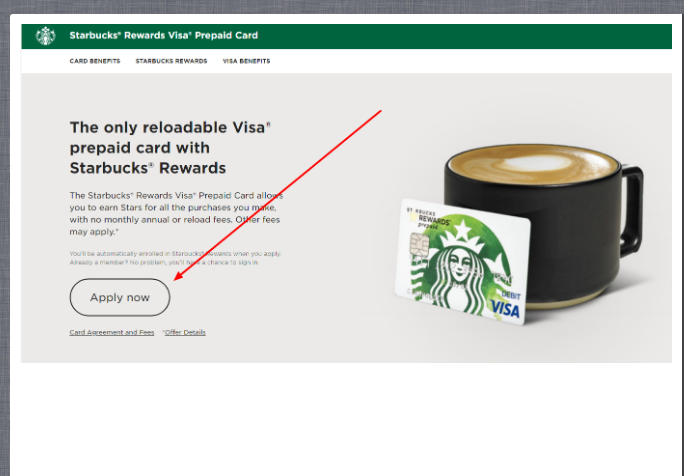
Starbucks Rewards Visa Prepaid Card ❤️ Log In

Security note: This Starbucks Rewards Visa Prepaid Card log in guide does not link out to banking, card, cruise, coffee, or investment login pages. Type the official website yourself, check the domain carefully, and never enter a password, card number, Social Security number, one-time code, or security answer on a page reached from an email, ad, comment, or text message.

The Starbucks Rewards Visa Prepaid Card is an old Chase-issued prepaid product. Current research matters here: the Consumer Financial Protection Bureau lists the prepaid agreement status as withdrawn, while Starbucks still explains how card-linked Stars behave if the account is open or closed.

So this is not a simple “apply now” guide anymore. It is a safe access guide for people who already had the prepaid card or are trying to understand an old Starbucks/Chase card account.


How to Log In

Check Starbucks Rewards first

  1. Sign in to your Starbucks account or app if your problem is Stars, Rewards, or a Starbucks Card balance.
  2. Check whether the account still shows any card-linked rewards information.
  3. Review Star expiration rules if a card account was closed.
  4. Use Starbucks account recovery if the issue is your Starbucks username or password.
  5. Do not assume a prepaid card application page is still active.

Check Chase prepaid access

  1. Use Chase prepaid card access only if you already have an existing prepaid card account.
  2. Sign in through the Chase prepaid cardholder route, not through a random search result.
  3. Use Chase recovery if the prepaid card username or password fails.
  4. If the account is closed or migrated, look for official Chase notices and account correspondence.
  5. Contact Chase or Starbucks based on whether the problem is money/card access or Stars/rewards access.


Current Status and Setup

The CFPB prepaid account database identifies the Starbucks Rewards Visa Prepaid Card as a JPMorgan Chase Bank product and shows its current status as withdrawn. Starbucks Rewards materials still explain that Stars tied to open card accounts behave differently from Stars after account closure.

  • Do not treat old application instructions as current.
  • If you already had the prepaid account, use Chase cardholder support for account access.
  • If your issue is Stars, start with Starbucks Rewards support.
  • If the account was closed, check the current Starbucks terms for Star expiration timing.


Known Issues & Common Problems

Old application pages

  • Many old guides still talk like new applications are the main task. That can mislead users because the prepaid product is no longer a normal fresh-application flow.
  • If you are looking to apply today, verify directly with Starbucks and Chase before entering information.

Stars versus money

  • Starbucks Rewards and Chase prepaid account access are different. A Starbucks login may show rewards, while Chase handles card money and cardholder access.
  • Use the right recovery path for the problem you actually have.

Troubleshooting Tips and Security Tips

Troubleshooting Tips

  • Decide first whether your problem is Starbucks Rewards, prepaid card money, or Chase login access.
  • Use Starbucks account recovery for Stars and Starbucks app access.
  • Use Chase prepaid account recovery for prepaid cardholder access.
  • If the card is closed, check Star expiration rules before waiting too long.
  • Keep old statements or closure notices nearby when contacting support.

Security Tips

  • Do not apply from old third-party pages that still promote the prepaid card.
  • Never enter prepaid card numbers on a page reached from a forum or ad.
  • Use account alerts when available for old card activity.
  • If a card account should be closed but shows activity, contact Chase immediately.
  • Use strong separate passwords for Starbucks and financial accounts.

Source-Based Notes for This Account

Practical research takeaway: this is a legacy prepaid-card guide, not a current application guide. The CFPB prepaid-agreement database lists the Starbucks Rewards Visa Prepaid Card agreement with withdrawn status, so readers should not treat old “apply” instructions as current product availability.

The account-access question is still useful for former cardholders because old balances, statements, closure notices, or rewards questions may involve Chase/JPMorgan Chase card servicing and Starbucks Rewards rules at the same time. The safe approach is to identify whether the question is about the prepaid card account, the Starbucks Rewards account, or Stars activity after account closure.

  • Do not assume a new prepaid-card application is available from an old article.
  • Use Chase-style account support for card servicing or historical statements.
  • Use Starbucks Rewards support for Stars and registered Starbucks account questions.
  • Keep copies of closure, conversion, or balance-transfer notices if you had the card.

Research Notes

The CFPB prepaid agreement database lists the product as a JPMorgan Chase Bank general-purpose reloadable prepaid card with current status withdrawn. Starbucks Rewards information still references Star behavior for cardholders and closed card accounts.

That means the useful guide is about identifying the right account and avoiding stale application links, not about showing screenshots of an old card page.


Contact Customer Service

Contact Starbucks when the problem is Rewards, Stars, or your Starbucks app. Contact Chase when the problem is prepaid card access, money movement, account closure, or card security.

  • Use Starbucks support for Rewards account and Stars questions.
  • Use Chase prepaid support for cardholder login, card balance, card replacement, or account closure questions.
  • Have old card documents ready if the prepaid account no longer appears online.
  • If you suspect fraud, contact the card issuer first and then update your Starbucks password.

Related Guides

If this is not the account you meant, these related guides may help you find the right path:


Frequently Asked Questions

Can I still apply for the Starbucks Rewards Visa Prepaid Card?

Do not rely on old application pages. Research shows the prepaid agreement status is withdrawn, so verify directly with Starbucks and Chase.

Who issued the Starbucks Rewards Visa Prepaid Card?

The CFPB database lists JPMorgan Chase Bank as the issuer for the prepaid product.

Is Starbucks login the same as Chase prepaid login?

No. Starbucks handles Rewards and Stars. Chase handles prepaid cardholder access.

What happens to Stars if the card account closes?

Starbucks states that Stars tied to card accounts can expire after account closure, so check the current Rewards terms.

Should I use old screenshots to find the login?

No. Use the current official Starbucks or Chase path and ignore old screenshot-based instructions.

Last Updated on June 6, 2026

URL: https://log-in.me/credit-card/starbucksprepaidrewardscard/