Notice: This page is an independent login-help guide for University Federal Credit Union credit card users. It is not affiliated with UFCU, does not contain a login form, and will never ask for your card number, password, PIN, one-time passcode, Social Security number, or account details.
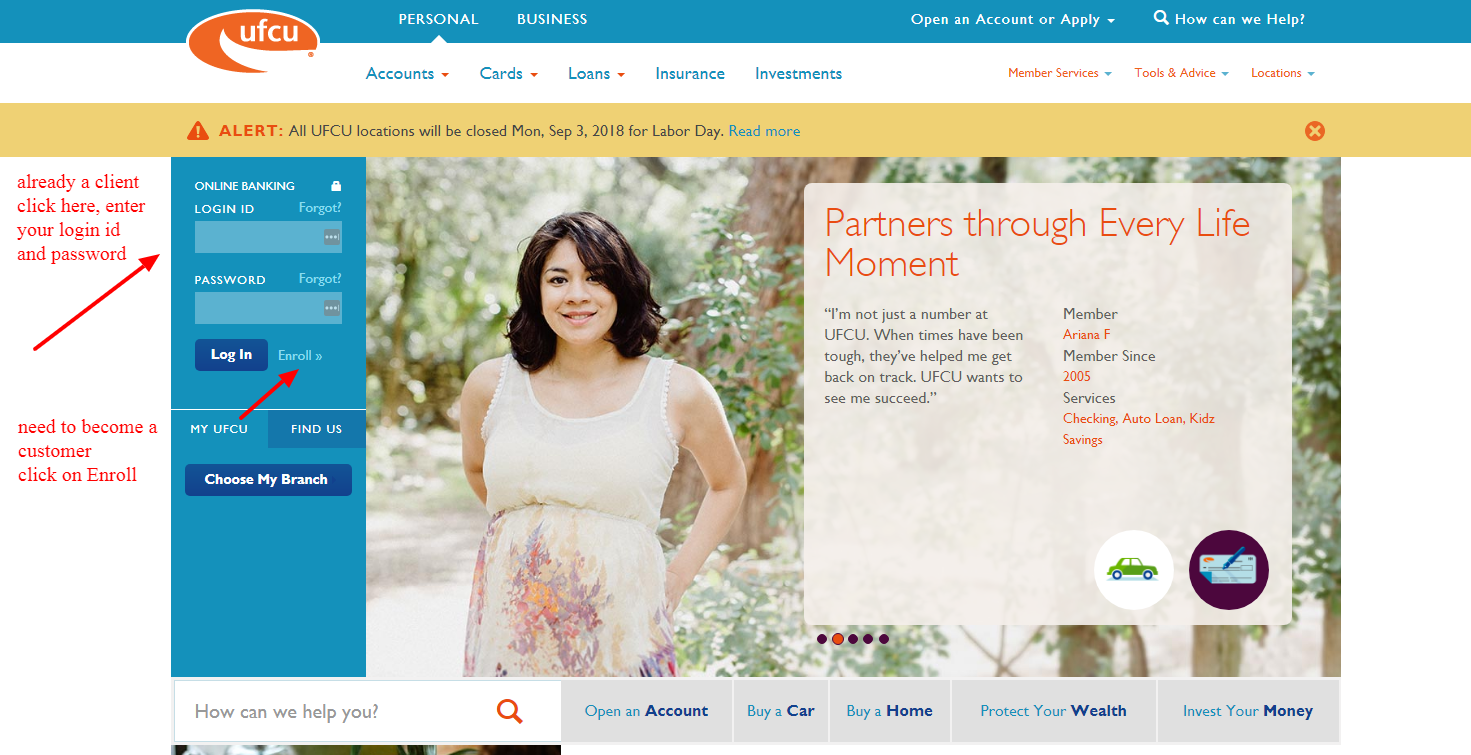
Trying to log in to University Federal Credit Union Credit Cards? Use UFCU Online Banking or the UFCU Mobile app, then open card management from inside your account. If login is failing, start with username or password recovery before calling support. UFCU says the same username and password work for Online Banking and the Mobile app, and card tools include activation, lock or unlock, replacement cards, PIN changes, payments, and credit card alerts.
How to Log In to University Federal Credit Union Credit Cards
Online Banking
- Open the official UFCU website in a fresh browser tab.
- Choose Online Banking or Log In.
- Enter your UFCU username and password.
- Complete the one-time passcode step if UFCU asks for it.
- Open Cards or Manage Cards to view, pay, activate, lock, unlock, replace, or change the PIN for your UFCU credit card.
UFCU Mobile App
- Install or update the UFCU Mobile app from your device app store.
- Open the app and sign in with the same credentials you use for Online Banking.
- If you are new, use the Enroll option and follow the identity prompts.
- Use Pay & Transfer for payments and Cards for card controls.
- Set up passcode or biometric login only after normal login works.
First-Time Access and Enrollment
- Have your UFCU account number ready before you start.
- Use the official enrollment path from UFCU Online Banking.
- Confirm your identity with the requested personal information.
- Create a username and password you do not use anywhere else.
- After enrollment, sign in again and confirm that your UFCU credit card appears under your accounts or Cards area.
If your credit card is missing after enrollment, do not open a second login. Contact UFCU and ask them to connect the card to the correct membership profile.
Known Issues & Common Problems
Login Screen Freezes
Some UFCU users have reported that the mobile app accepts the username and password, then stops responding. If that happens, update the app, restart the phone, try Online Banking in a browser, and only then reset your password.
Slow Balances or Missing Card Details
Users have also reported slow account loading, delayed balances, and card information that does not match between web and mobile. If the app looks wrong, compare it with Online Banking before making a payment or transfer.
Troubleshooting Tips
- Forgot username: use Forgot Username from Online Banking, or Forgot Username or Password in the mobile app.
- Forgot password: use Forgot Password and have your username and identity details ready.
- One-time passcode missing: check whether UFCU has your current phone and email, then request the code again.
- App will not load: update the app, switch from Wi-Fi to mobile data, then try Online Banking in a browser.
- Card is not visible: contact UFCU and ask them to check whether the card is attached to the right membership account.
Security Tips
- Never share your UFCU password, PIN, card number, or one-time passcode with anyone who contacts you first.
- Look for a secure browser connection before entering credentials.
- Use card lock if you think your card is lost or being used without permission.
- Set credit card charge alerts so you spot strange activity fast.
- Report a lost card, stolen card, or suspicious charge immediately instead of waiting for the next statement.
Customer Complaints & Common Problems
Recent public user discussions around UFCU are mixed. Some users say the newer online system works better now, while others still report slow loading, frozen app screens, delayed balances, and frustration after UFCU moved to its newer digital banking setup.
- Mobile app freeze report: one Austin-area user said they could enter username and password, but the app screen stopped responding for months.
- Post-conversion frustration: several users described the newer UFCU system as slower or harder to use during the transition period.
- Balance mismatch concern: a long-time member reported that online and mobile balances did not always match.
- Positive counterpoint: other users said the app now works for them and the worst problems were mostly during the earlier transition.
Practical takeaway: if your UFCU Credit Cards login looks wrong in one channel, verify in the other channel before paying, transferring, or assuming your card balance is accurate.
Managing UFCU Credit Cards After Login
Payments and Card Details
- Make payments through Online Banking or Mobile Banking.
- Use the card account area to check current balance, available credit, transactions, and payment status.
- UFCU says card payments can also be made at a branch or through Member Services.
Card Controls
- Activate a new card from Online Banking or the Mobile app.
- Change a card PIN from Cards and Manage Card.
- Temporarily lock a misplaced card, or request replacement if it is lost or stolen.
Contact Customer Service
Member Services: (512) 467-8080 or (800) 252-8311
TTY: (866) 928-5450, option 2
Phone hours: Monday to Friday, 8 AM to 5:30 PM; Saturday, 10 AM to 2 PM.
Credit card payment mail: VISA, PO Box 9389, Austin, TX 78766-9389.
General mail: University Federal Credit Union, PO Box 9350, Austin, TX 78766-9350.
For lost cards or suspected fraud: call immediately. Do not wait for a normal support ticket.
Related Credit Card Login Guides
- State Farm Student Visa Credit Card login guide
- Porsche Club of America Visa Card login guide
- Nationwide Bank Visa Credit Card login guide
- Fifth Third Bank login guide
Frequently Asked Questions
How do I log in to University Federal Credit Union Credit Cards?
Use UFCU Online Banking or the UFCU Mobile app. Sign in with your UFCU username and password, then open the Cards or Manage Cards area to view and manage your credit card.
Can I use the same login for UFCU Online Banking and the mobile app?
Yes. UFCU says the same username and password work for Online Banking and the UFCU Mobile app.
What should I do if I forgot my UFCU username?
Use Forgot Username on the Online Banking login page, or use Forgot Username or Password in the mobile app and choose the username recovery option.
What should I do if I forgot my UFCU password?
Use Forgot Password from Online Banking or the mobile app. Be ready to provide your username and identity information, then follow the prompts.
Why is UFCU asking for a one-time passcode?
UFCU may ask for a one-time passcode when you enroll, log in from an unregistered device, or reset your password. This is an extra identity check.
How do I activate a UFCU credit card?
Log in to Online Banking or the UFCU Mobile app, open Cards or Manage Cards, choose Activate Now, enter the requested card details, and create or confirm your PIN.
Can I lock or unlock a UFCU credit card online?
Yes. UFCU card controls include temporary lock and unlock options. Use them if the card is misplaced, but report the card if it is truly lost or stolen.
How do I pay a UFCU credit card?
You can make UFCU credit card payments through Online Banking, Mobile Banking, a UFCU branch, or Member Services. Check that the payment posts to the correct card account.
What should I do if my UFCU card is missing from Online Banking?
Contact UFCU and ask a representative to check whether the card is connected to the correct membership profile. Do not create a second account just to find the card.
What should I do if the UFCU app freezes after login?
Update the app, restart your device, try a different network, then use Online Banking in a browser. If the account still will not load, contact UFCU with the device type and error details.
Summary
University Federal Credit Union Credit Cards login is handled through UFCU Online Banking and the UFCU Mobile app. Start with username or password recovery if you cannot get in, use card controls for activation, lock or unlock, replacement, PIN changes, alerts, and payments, and contact UFCU quickly if card details look wrong or you suspect fraud.
Last Updated on June 2, 2026
URL: https://log-in.me/credit-card/universityfederalcreditunioncreditcardstexas/