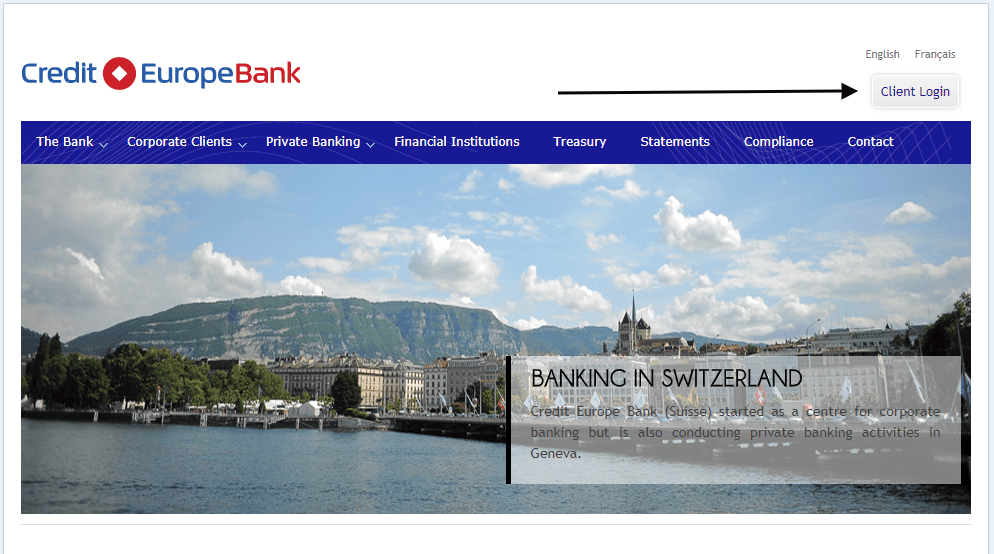
Credit Europe Bank Switzerland Log In now uses the Nexent Bank name. Credit Europe Bank officially became Nexent Bank on 27 June 2025, and the Swiss entity is now Nexent Bank (Suisse) SA. The bank says existing credentials, accounts, IBANs, contracts, products, and access remained unchanged during the rebrand.
Start from the current Nexent Bank Switzerland website and choose Online Banking. This guide explains the name change, Direct Banking login, enrollment, token problems, and the current Geneva contact details without sending you through an old Credit Europe bookmark.
How to Log In
Nexent Bank Switzerland focuses on corporate banking, trade and commodity finance, and financial institutions. Its Direct Banking service is available around the clock for enrolled customers. Use the user code, password, token, and token PIN supplied for the corporate profile.
Direct Banking in a browser
- Type the current Nexent Bank Switzerland website address into your browser.
- Choose Online Banking from the bank’s own navigation.
- Confirm that the banking page uses the Nexent Bank Switzerland identity.
- Enter the user code and password issued for the Direct Banking profile.
- Complete token verification, check the expected company accounts, and log out when finished.
Mobile banking after the rebrand
- Use the existing bank app from the official app store or update it when prompted.
- Keep the same login credentials unless the bank has instructed otherwise.
- Approve only a login or transaction that you started.
- Check the company, account, currency, beneficiary, and amount before confirming a payment.
- Record the transaction reference and final status.
Credit Europe Bank Became Nexent Bank
The rebrand became official on 27 June 2025. Nexent Bank says the change affected its identity, not customer operations. Existing contracts remained valid, account details and IBANs stayed the same, and online and mobile login credentials continued to work.
An old Credit Europe Bank Switzerland Log In bookmark may redirect or eventually become stale. Begin from the current Nexent Bank Switzerland homepage, verify the current domain, and create a new bookmark only after the correct banking page loads. Do not confuse Credit Europe Bank Switzerland with Credit Suisse; they were different institutions.
Register for Direct Banking
Direct Banking is not an open consumer signup. Nexent Bank’s published process says a customer contacts the Account Manager and requests a Direct Banking application package. Authorized people sign the original forms and return them by mail. The bank activates access after receiving the required originals.
The bank then supplies a user code, password, token, and token PIN. Store those items securely and keep authorization roles aligned with the company mandate. If a new employee needs access, ask the Account Manager for the approved process rather than sharing another person’s credentials.
- Ask the Account Manager for the current Direct Banking application package.
- Have the authorized person or people sign the original forms.
- Return the originals using the delivery method stated by the bank.
- Wait for activation and the securely delivered user code, password, token, and token PIN.
- Test access and permissions before an urgent payment is due.
Known Issues & Common Problems
Old Credit Europe bookmark: The Swiss bank now operates as Nexent Bank. Start from the current Nexent site rather than trusting an old saved address.
Credentials rejected after rebrand: The bank says credentials stayed the same. Check the current site and fields once, then contact the bank instead of creating another profile.
Token or token PIN fails: Stop after one careful retry and ask the Account Manager or bank support whether the token is active, locked, expired, or assigned to the correct user.
Payment awaits approval: Corporate roles can separate entry and approval. Check the payment queue and the assigned authority before treating it as a login failure.
A missing company account, limit, or payment option can be a permission problem rather than a bad password. Direct Banking can show accounts, portfolios, company limits, payments, transfers, and foreign-exchange operations according to the profile. Tell support the company name, user role, exact error, token status, time, and last successful step, but never send the password or token PIN.
Troubleshooting Tips
- Start from the current Nexent Bank Switzerland homepage and remove an old Credit Europe bookmark.
- Check the user code, password field, keyboard layout, Caps Lock, and accidental spaces once.
- Confirm that the correct physical or digital token is being used for the assigned profile.
- Try one private browser window or another updated browser on a trusted connection.
- Check whether the payment needs another authorized approver.
- Record the exact error, time, user role, and token status before contacting the bank.
Change one thing at a time and do not repeatedly guess the token PIN. If a payment is urgent, ask the Account Manager which approved alternative or escalation route is available. Keep the transaction reference and support case number.
Security Tips
- Open the current Nexent Bank site yourself instead of following a login link in an unexpected message.
- Never share a user code, password, token, token PIN, or one-time approval code.
- Give every authorized employee an approved individual profile instead of sharing credentials.
- Verify the beneficiary, account, currency, amount, and approval status before confirming.
- Report a lost or reassigned token to the bank immediately.
- Log out after banking and keep browsers, phones, and banking apps updated.
A rebrand can attract phishing messages. The official change did not require customers to replace credentials through an emailed link. If a message asks for a password or token PIN, stop and contact Nexent Bank using details from its current official website.
Contact Customer Service
- Legal entity: Nexent Bank (Suisse) SA.
- Telephone: +41 (0) 22 839 19 19.
- Email: info at nexentbank dot ch.
- Address: Rue du Rhône 80, 1204 Genève, Switzerland.
Contact the Account Manager for enrollment, token replacement, permissions, and corporate payment access. Give the company name, user role, error, and time, but do not send a password, token PIN, one-time code, or confidential payment instruction in ordinary email. Ask for a reference number if the issue remains open.
Frequently Asked Questions
What happened to Credit Europe Bank Switzerland Log In?
Credit Europe Bank became Nexent Bank on 27 June 2025. Swiss customers now start from Nexent Bank Switzerland.
Did login credentials change during the rebrand?
Nexent Bank says online and mobile banking credentials remained the same.
Did account numbers or IBANs change?
No. The bank says account details, including IBANs, remained unchanged.
Do existing contracts remain valid?
Yes. Nexent Bank says existing contracts continued without change after the rebrand.
How do I register for Direct Banking?
Request the application package from the Account Manager, sign and return the original forms, and wait for activation details.
What credentials does Direct Banking use?
The published enrollment process provides a user code, password, token, and token PIN.
What if a payment is waiting?
Check whether another authorized user must approve it and whether the profile has the required company limit and permissions.
How do I contact Nexent Bank Switzerland?
Call +41 (0) 22 839 19 19 or use the current contact details published by Nexent Bank Switzerland.
Summary
For Credit Europe Bank Switzerland Log In, use Nexent Bank Switzerland. The 27 June 2025 rebrand kept credentials, accounts, IBANs, contracts, and access unchanged. Start from the current Nexent site, use the assigned Direct Banking credentials and token, and contact the Account Manager for enrollment, permissions, or token recovery.
Independent guide: This is an independent informational guide. It does not provide a login form, does not provide direct login links, does not request passwords or credentials, and does not collect banking data. Use the bank’s official website, app, phone, or support channels directly for account access.
Last Updated on July 13, 2026
URL: https://log-in.me/crediteuropebankswitzerland-geneva-switzerland/