Investrust Bank ❤️ Log In

Security note: This Investrust Bank Log In guide does not link to banking login pages. Investrust Bank Plc was placed into liquidation after Bank of Zambia action in 2024, and customer access moved through Zambia Industrial Commercial Bank. Do not use old saved Investrust login links, screenshots, emails, or search ads. Start from the current official bank or regulator information you can verify yourself.

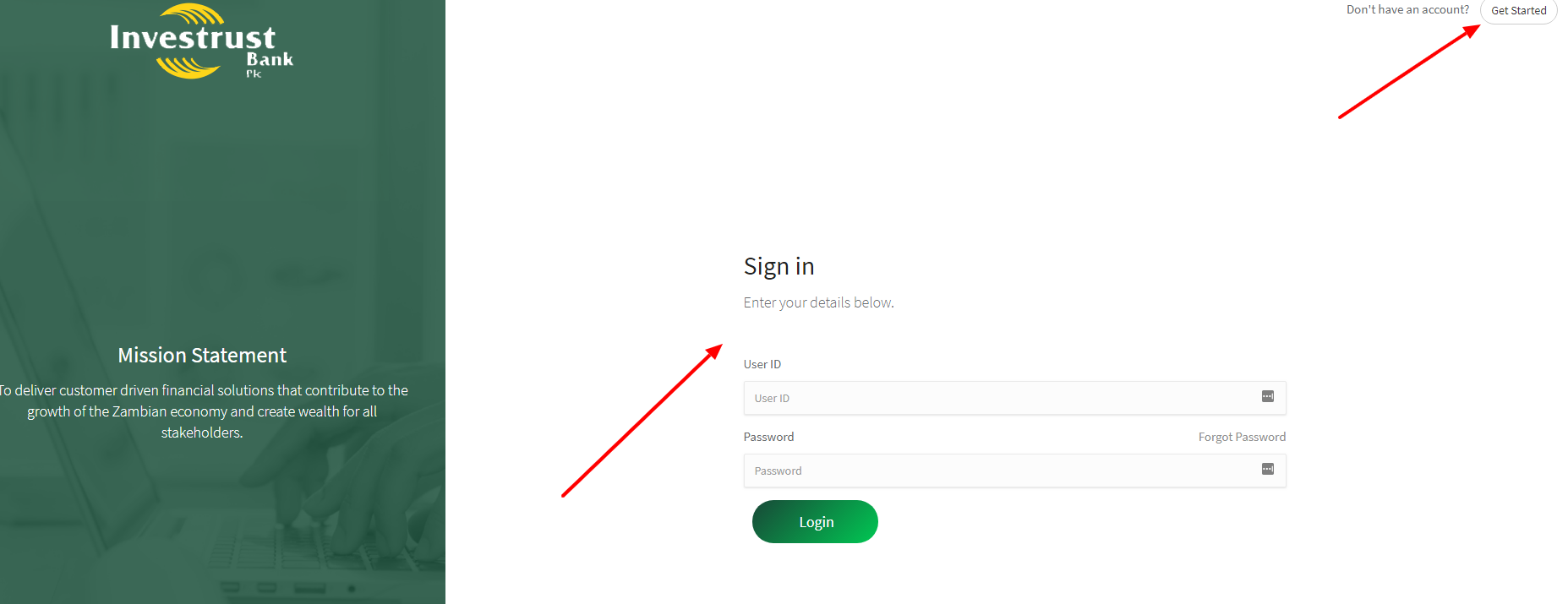
Trying to complete Investrust Bank Log In is not a normal login problem anymore. The old article said to find an internet banking box and enter a username and password. That advice is now risky because Investrust Bank Plc is no longer operating as an ordinary standalone bank.

The useful question is different: if you were an Investrust customer, where should you check access now, how do you avoid fake login pages, and what should you do if an old Investrust banking link still appears in your browser or search results?


How to Log In

If you were an Investrust customer

  1. Do not start from an old Investrust Bank Log In bookmark.
  2. Check current Bank of Zambia or Zambia Industrial Commercial Bank information about former Investrust customers.
  3. Use the current ZICB access path only after confirming that your former Investrust account or deposit balance was transferred.
  4. If you are unsure, contact the current bank or the regulator before entering credentials.
  5. Keep proof of your former Investrust account, identification, and any transfer communication ready.

If you found an old login page

  1. Stop before typing a username, password, PIN, card number, or one-time code.
  2. Check whether the page is old, copied, redirected, or unrelated to the current account holder.
  3. Do not trust a page just because it uses the Investrust name or an old screenshot.
  4. Use a clean browser session and manually verify the current institution before trying again.
  5. If you already entered details, treat it as urgent and contact the current bank from a trusted phone or device.

Investrust Bank Log In should now be handled as an account-transition question. If a page asks you to log in as though nothing changed, be careful. A working form is not proof that the page is safe or current.


Bank Status and Access Reality

Bank of Zambia took possession of Investrust Bank Plc on April 2, 2024 due to insolvency, and later placed it under compulsory liquidation. ZICB announced that former Investrust customers with outstanding deposit balances would have new accounts opened and be able to access banking services as ZICB customers from July 15, 2024.

That means an Investrust Bank Log In attempt may fail for a reason that has nothing to do with your password. The old bank system, old login page, or old browser bookmark may simply no longer be the right place to start.

  • Former deposits: Check whether your account was part of the transfer to ZICB.
  • Old branches: ZICB said it acquired 16 former Investrust branch and agency locations, but that does not mean every old login path remains valid.
  • Old shareholders or creditors: Login help is different from liquidation or creditor claims. Do not mix those processes.
  • Old screenshots: A screenshot from 2018 is not reliable evidence for how access works now.


Known Issues & Common Problems

Old login bookmarks

Saved Investrust Bank Log In links may point to pages that are no longer the correct access route. Delete old bookmarks after you confirm the current path, especially if the page still talks like Investrust is operating normally.

Transferred account confusion

A former Investrust customer may need ZICB access, not an old Investrust password reset. Confirm the account status before resetting anything, because a transfer problem will not be fixed by guessing an old password again.

Liquidation versus banking access

Liquidation notices, depositor access, shareholder claims, and normal online banking are separate issues. Ask for the right team when you contact support, and be clear whether you are a depositor, borrower, shareholder, or creditor.

Fake recovery messages

Bank transitions create openings for scams. Treat messages that ask for a password, PIN, full card number, or code as dangerous until verified through official channels, even when the sender claims the message is about the 2024 transition.


Troubleshooting Tips and Security Tips

Troubleshooting Tips

  • Do not retry Investrust Bank Log In over and over if the page looks old or unsupported.
  • Check whether your former Investrust account was moved to ZICB before using any online banking route.
  • If you cannot access a transferred account, ask whether you need new ZICB credentials rather than an Investrust reset.
  • Use the same name, ID document, phone number, and account proof you used with Investrust when asking for help.
  • If support gives instructions by phone, write them down and verify the institution before sharing private details.

Security Tips

  • Never share a banking password, PIN, card number, SMS code, or app approval code with anyone who contacts you first.
  • Do not trust old Investrust screenshots, cached search results, or unofficial login guides.
  • Use a clean device if you already typed credentials on a suspicious page.
  • Change credentials only from a current verified bank access path.
  • If money is missing or a stranger helped you log in, report it as possible fraud immediately.

Contact Customer Service

For Investrust Bank Log In help, do not ask a random search result to solve it. Contact the current bank handling former Investrust customers, or check Bank of Zambia notices if your question is about liquidation, depositor access, or creditor status.

  • Account access: Ask whether your former Investrust account was transferred and whether you need new login credentials.
  • Missing deposit: Ask for the depositor-transfer or resolution team, not a normal password reset.
  • Old login still works: Verify whether that system is current before entering more information.
  • Possible scam: Say exactly what you clicked, what you entered, and whether any money moved.

Related Log In Guides

These related banking guides may help if you are comparing bank app access, account recovery, and safe login habits:


Frequently Asked Questions

Where should I start Investrust Bank Log In now?

Start by verifying current Bank of Zambia or ZICB information for former Investrust customers. Do not use old bookmarks or screenshots as your source of truth.

Why might the old Investrust login fail?

The old bank was placed into liquidation after Bank of Zambia action, and former customer access moved through a ZICB transition. The old login path may no longer be correct.

Should I reset my old Investrust password?

Not before confirming the current access route. If your account moved to ZICB, you may need current-bank credentials rather than an old Investrust reset.

Can I trust an old Investrust login page if it loads?

No. A page loading does not prove that it is current or safe. Verify the institution and access path before entering private banking information.

What if I entered details on a suspicious page?

Stop using that device for banking, contact the current bank through verified channels, explain what happened, and ask whether account protection steps are needed.

Is this page the Investrust Bank login page?

No. This is an independent help guide. It explains safer next steps for former Investrust customers and does not collect banking details.

Investrust Bank Log In is now mostly about not using the wrong door. Former customers should verify the ZICB transition or Bank of Zambia instructions first, then use only the current confirmed access route.

Last Updated on June 2, 2026

URL: https://log-in.me/investrustbank-lusaka-zambia/